When sourcing commercial displays for meeting rooms, digital signage, or interactive terminals, B2B buyers need to evaluate several factors beyond screen size and resolution. Power availability, network connectivity, cable management, and installation costs can all affect the final deployment. A PoE Android tablet offers a practical solution by combining display functionality with Power over Ethernet technology, allowing power and network data to travel through a single Ethernet cable.
But what exactly is a PoE monitor, and how does it work? Is it different from a regular monitor or an Android touchscreen? Understanding these differences helps system integrators, IT managers, and equipment distributors select the right display hardware for their projects.
Key Takeaways
- A PoE-powered display combines a display, a network client, and a power consumer in one device that runs from a single Ethernet cable, based on the IEEE 802.3 PoE standards.
- Power and data share the same cable because PoE injects DC power onto the Ethernet pairs at a voltage that data transmission tolerates.
- The practical benefits are fewer cables, faster wall-mounted installation, and centralized power at the switch, where it can be monitored and backed up.
- Typical applications are meeting room booking panels, digital signage and information displays, and commercial touchscreen terminals near the network.
- Before deploying, check the PoE standard and power budget, the network side, and the display and touch specifications, because PoE power delivery has hard limits.
What Is a PoE Monitor?
A PoE monitor is a display device that receives electrical power and network data through a single Ethernet cable using Power over Ethernet (PoE) technology. Instead of requiring a separate power adapter and network connection, a PoE-compatible monitor can connect to a PoE-enabled network infrastructure.
This setup reduces the number of cables required for installation and makes it easier to deploy displays in locations where traditional power outlets may be inconvenient.
PoE monitors are commonly used in commercial environments, including offices, meeting rooms, retail stores, healthcare facilities, and smart buildings.
Depending on the device configuration, a PoE monitor may function as a standalone display, an interactive touchscreen, or an Android-based terminal. For example, an android tablet with poe combines a touchscreen display, Android operating system, and PoE connectivity in one device.
What Does Power over Ethernet Mean?
Power over Ethernet (PoE) is a technology that allows Ethernet cables to carry both electrical power and network data.
In a conventional network setup, a device usually needs two separate connections:
- A power cable connected to an electrical outlet or power adapter.
- An Ethernet cable connected to a router or network switch for data communication.
PoE combines these functions into one Ethernet connection. This means compatible devices can receive power and communicate with the network through the same cable.
PoE technology follows IEEE 802.3 standards, with several common versions:
| PoE Standard | Maximum Power from PSE | Maximum Power Available to PD |
|---|---|---|
| IEEE 802.3af (PoE) | 15.4W | 12.95W |
| IEEE 802.3at (PoE+) | 30W | 25.5W |
| IEEE 802.3bt Type 3 | 60W | 51W |
| IEEE 802.3bt Type 4 | 90W | 71.3W |
Note: PSE refers to Power Sourcing Equipment, while PD refers to Powered Device. The available power at the receiving device is lower because of cable power losses.
For commercial display applications, buyers should check the monitor’s supported PoE standard and actual power consumption before selecting a network switch or injector.
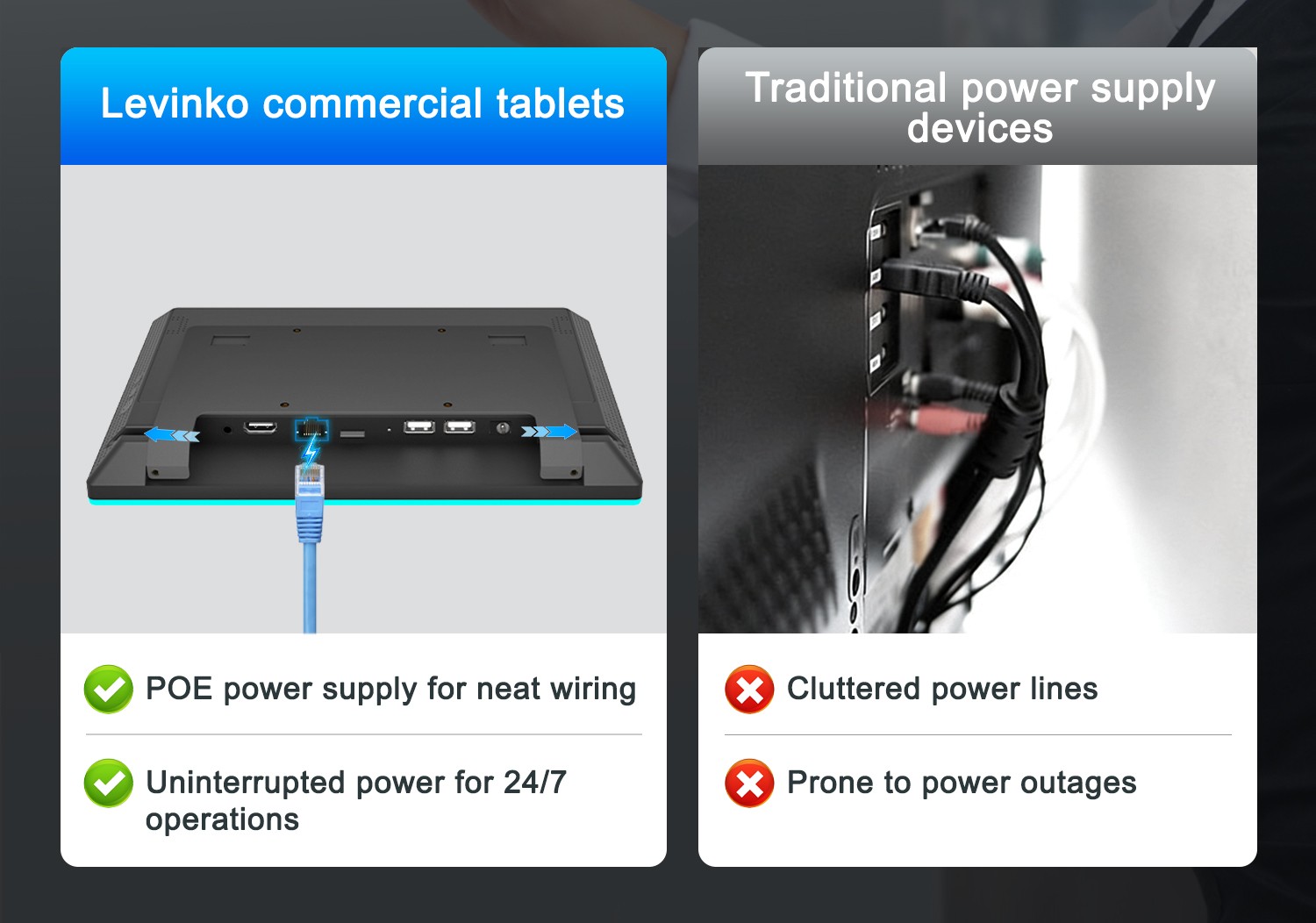
How Is a PoE Monitor Different from a Regular Monitor?
A regular commercial monitor typically requires an AC power cord or a dedicated power adapter, along with a separate video connection such as HDMI. If network connectivity or application processing is needed, buyers may also need an Ethernet connection and an external media player or panel PC.
A PoE monitor simplifies this setup by using one Ethernet cable to deliver both electrical power and network data. This changes three aspects of a commercial installation: the bill of materials, the installation process, and the power supply arrangement. Buyers may not need a separate power adapter or a nearby electrical outlet, while installers have fewer cables to route and manage.
There is another important difference between a standard PoE display and an Android-based PoE touch monitor. A basic PoE monitor may still depend on an external computer or media player to run applications. An Android PoE touch monitor, however, integrates its own computing platform, allowing compatible applications to run directly on the device.
For example, the LEVINKO PW1031T 10.1-inch PoE Touch Panel combines an Android computing platform, touchscreen display, and PoE connectivity in one device. This makes it suitable for applications such as meeting room booking, where an additional external media player may not be necessary.
The following table highlights the differences between these display solutions:
| Feature | Regular Monitor | PoE Monitor | PoE Android Monitor |
|---|---|---|---|
| Power Supply | AC power or external adapter | PoE network connection | PoE network connection |
| Network Connectivity | Depends on connected equipment | Ethernet | Ethernet |
| Computing Platform | Usually external | Depends on device design | Built-in Android system |
| Touchscreen | Optional | Optional | Available on touchscreen models |
| Application Support | Requires connected equipment | Depends on device configuration | Runs compatible Android applications |
| Installation | May require separate power and signal cables | One Ethernet cable for power and data | One Ethernet cable for power and data |
How Does a PoE Monitor Work?
The working principle is simple to state and worth understanding in detail, because the details are exactly what an integrator budgets for. Three subsystems cooperate: the cable that carries both signals, the equipment that injects power, and the monitor’s own power-reception circuit. Once those three are clear, most deployment questions — switch sizing, cable runs, power budgets — become straightforward arithmetic.
How Power and Data Travel Through One Ethernet Cable
PoE technology transmits electrical power and network data through the same Ethernet cable. When connected to a compatible PoE switch or injector, a monitor receives both through a single network connection. Its internal PoE circuit manages power conversion, while the Ethernet interface handles data communication.
For an Android-based touchscreen, this connection also enables access to online applications and network management platforms without a separate power cable.
The Role of PoE Switches and Power Sourcing Equipment
Power Sourcing Equipment (PSE) supplies power to PoE-compatible devices. Common options include:
- PoE switches: Provide network connectivity and power to multiple devices.
- PoE injectors: Add power to Ethernet connections when the existing switch does not support PoE.
- PoE midspans: Supply PoE between a standard network switch and connected devices.
Before deployment, buyers should check the switch’s total PoE power budget to ensure it can support all connected displays, including multiple android poe wall mount tablet units.
How a PoE Monitor Receives Power
A PoE monitor acts as a Powered Device (PD). The power delivery process involves three steps:
- Detection: The PSE identifies whether the connected device supports PoE.
- Power delivery: The PSE supplies power according to the compatible PoE standard.
- Power conversion: The monitor converts incoming power into suitable voltage levels for its internal components.
When selecting a 10.5 inch poe android tablet, buyers should verify whether it supports direct PoE input or requires an external PoE splitter.
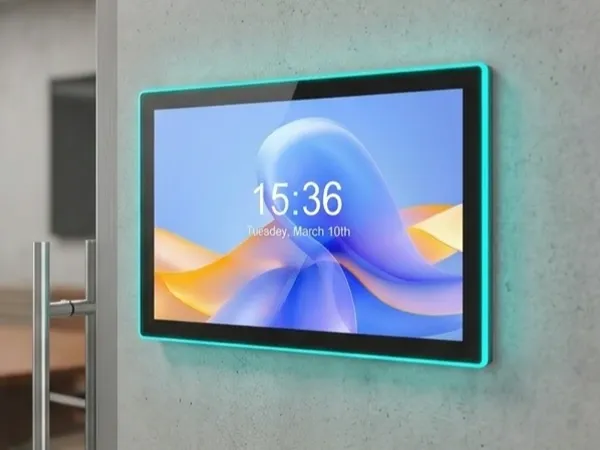
What Are the Main Benefits of Using a PoE Monitor?
PoE monitors offer several practical advantages for commercial installations. Their main value comes from simplifying power connections, reducing installation complexity, and making network-based power management easier.
These advantages are particularly relevant to projects involving multiple displays or devices installed across different rooms and locations.
Simplified Power and Network Cabling
One of the main benefits of PoE is that it combines power delivery and network connectivity into one Ethernet cable.
Traditional display installations may require separate power outlets, adapters, and network cables. These additional connections can increase installation work and create cable management challenges.
With a PoE monitor, installers can use a single Ethernet connection for both power and data, provided the network infrastructure supports the required PoE standard.
For businesses deploying multiple android tablet with poe devices, fewer separate power connections can make the overall installation more organized.
This is particularly useful in commercial environments where displays are distributed across meeting rooms, corridors, reception areas, or shared workspaces.
Easier Installation in Wall-Mounted Applications
Wall-mounted displays are widely used in offices, retail environments, hotels, and commercial buildings.
However, installing traditional displays on walls can involve additional electrical work, especially when power outlets are not available near the mounting location.
A PoE-powered device reduces this requirement because power can be delivered through an Ethernet cable connected to a nearby PoE switch or injector.
An android poe wall mount tablet can therefore be installed in locations where running a separate power connection would otherwise complicate the project.
Common installation scenarios include:
- Meeting room booking panels mounted beside office entrances.
- Digital information displays installed in corridors.
- Interactive touchscreen terminals placed at reception desks.
- Smart building control panels mounted on walls.
A wall mount android tablet poe also provides a compact installation option for applications that need an interactive interface without taking up desk space.
For installers, the availability of a suitable wall bracket, VESA mounting pattern, or other mounting accessories should also be considered.
Centralized Power Management
PoE infrastructure allows IT teams to manage power delivery through network equipment.
Depending on the switch model and its management capabilities, administrators may be able to monitor PoE power consumption, check port status, and remotely disable or restore power to connected devices.
This can simplify troubleshooting when a display becomes unresponsive or needs to be restarted.
For businesses managing multiple PoE displays across different departments or buildings, centralized power management can reduce the need for individual physical intervention.
However, these functions depend on the capabilities of the PoE switch and the network management system. A PoE connection alone does not guarantee remote device management or application-level control.
Where Are PoE Monitors Commonly Used?
PoE monitors are suitable for commercial environments that need network-connected displays with simplified power installation.
Meeting Room Booking Systems
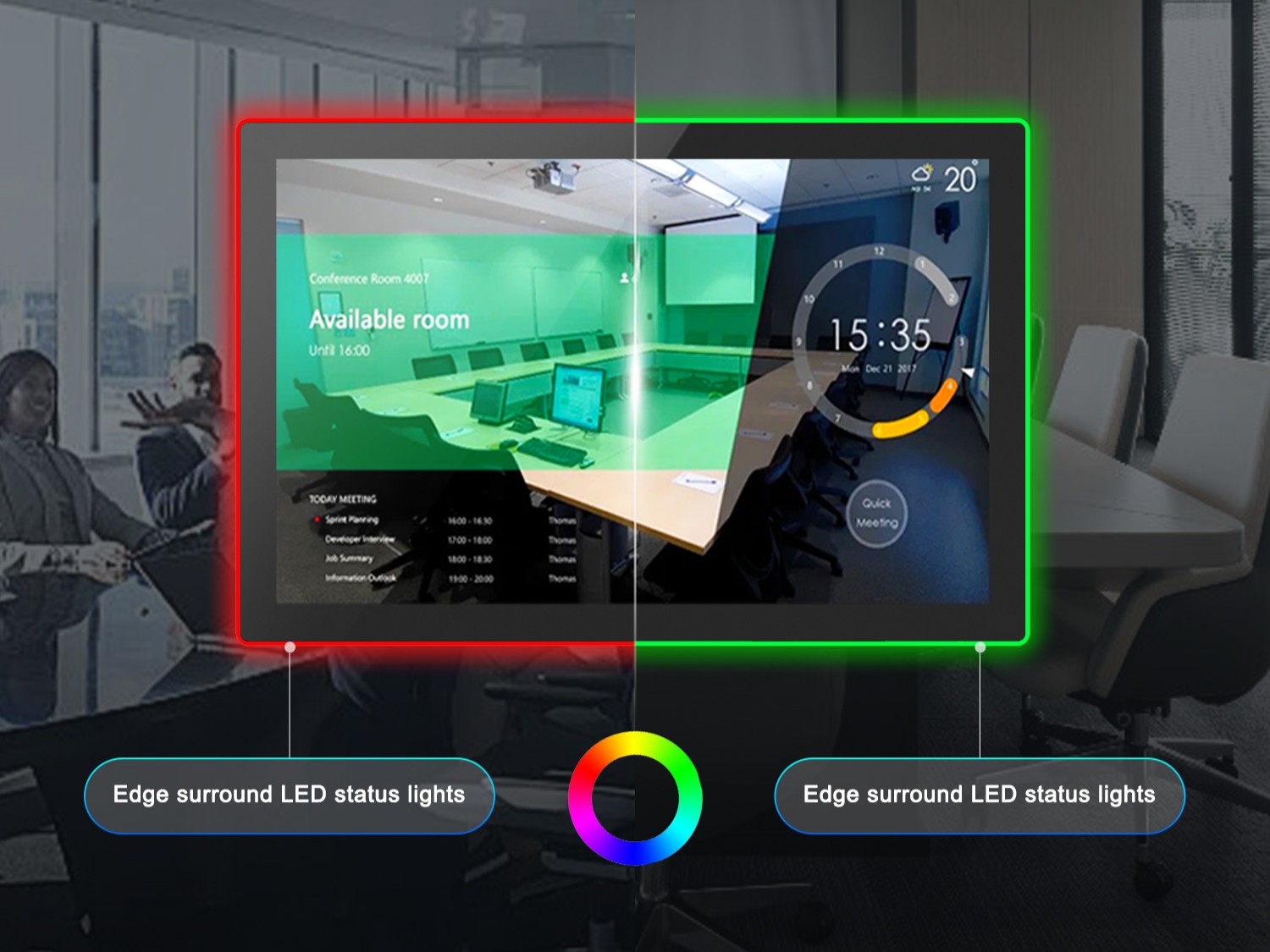
Meeting room booking systems are one of the most common applications for PoE Android touch displays. Businesses install touchscreen panels beside meeting room doors to show real-time room availability, scheduled meetings, and booking information.
A 10 inch PoE android tablet is well suited to this application. Its compact size fits wall-mounted installations, while the touchscreen allows employees to check schedules and interact with booking applications directly.
For example, the LEVINKO PW1031T 10.1-inch PoE Touch Panel supports Android-based scheduling applications and features an edge LED light bar that can indicate room status, such as red for occupied and green for available, depending on the system configuration.
PoE is particularly practical for these installations because power outlets are rarely available beside meeting room doors. A single Ethernet cable supplies both power and network connectivity, reducing wiring requirements for panels that operate throughout the working day. For system integrators deploying booking panels across multiple floors, this also simplifies installation and cable management.
Digital Signage and Information Displays
Corridor wayfinding panels, shelf-adjacent information screens, and reception displays fall into the same pattern: fixed position, long duty hours, moderate panel size, and a network drop already within reach. Where the content is dynamic, an Android-based PoE display pulls playlists or dashboards over the same cable that powers it, and a fleet can be managed remotely without ever opening the wall. Larger or higher-brightness signage may exceed a single PoE port’s capacity, which is why power class matters in the specification step.
Commercial Touchscreen Terminals
Interactive terminals — visitor check-in panels, queue displays, smart-office control points, and self-service information kiosks — complete the picture. These devices need a touchscreen, onboard compute, and continuous availability, and they sit close to building networks by design. A PoE-powered Android touch terminal keeps the install uniform with the rest of the IP estate: same cable, same switch, same port-reset troubleshooting the IT team already practices on cameras and access points.
What Should You Check Before Using a PoE Monitor?
Before purchasing a PoE monitor, B2B buyers should verify three key factors to ensure the device matches their installation and application requirements.
PoE Standards and Power Requirements
Check whether the monitor supports IEEE 802.3af, 802.3at, or 802.3bt. Its power consumption must stay within the available output of the PoE switch or injector. For multiple displays, calculate the total PoE power budget before deployment.
| IEEE Standard | Power at Device (Approx.) | Typical Use |
|---|---|---|
| 802.3af (Type 1) | About 13 W | Cameras, access points, small panels |
| 802.3at (Type 2) | About 25.5 W | Compact touch panels, smaller displays |
| 802.3bt (Type 3/4) | About 51–71 W | Larger or brighter commercial displays |
Ethernet Network Compatibility
Confirm that the network switch supports the required PoE standard and that the Ethernet cabling meets installation requirements. Cat5e or better cables are commonly used, with a typical maximum channel length of 100 meters.
Display and Touchscreen Specifications
PoE changes the cabling, not the display criteria. Size, resolution, viewing angle, and brightness still follow from the application: a door-side booking panel reads well at 10.1 inches and 1280×800, while a corridor information display may justify 15.6 inches and 1920×1080. Touch type should be projected capacitive (PCAP) for public-facing screens, and commercial features — continuous-duty panels, tempered glass front, and a hardware watchdog that restarts a hung system within about a minute — separate a display built for 24/7 lobbies from an office screen in a wall bracket. If those criteria are new to you, start with what a commercial touch screen monitor is and then narrow by mounting and power.
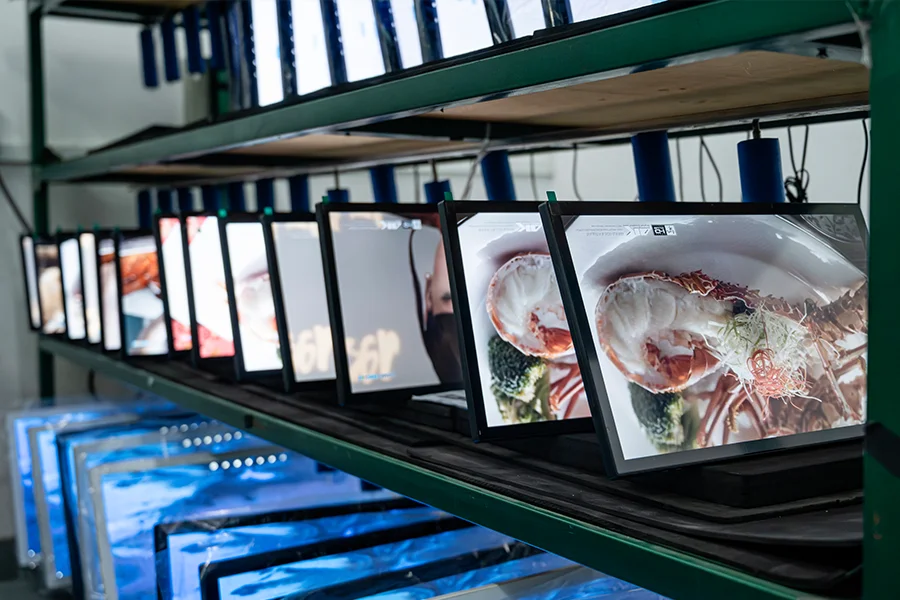
Explore LEVINKO PoE Android Touch Monitors for Commercial Applications
LEVINKO builds PoE touch displays on a common commercial platform: an A-grade IPS panel with 10-point PCAP touch, a Rockchip-class Android board, and an RJ45 port with PoE support in a slim enclosure with standard VESA mounting and a wall bracket included. The 10.1-inch PoE touch panel with LED status bar targets door-side meeting room booking, and the family extends to 15.6-inch and larger sizes in the same wall-mounted touch panel range. Because the platform shares its board and API set across sizes, integrators can standardize one software build across an estate.
As a factory-direct manufacturer of commercial smart display hardware since 2010, LEVINKO supports OEM and ODM projects from standard units through interface and enclosure customization. If you are planning a PoE-powered deployment — meeting rooms, information displays, or networked touch terminals — request a quotation or a sample unit and confirm the PoE class and configuration against your power budget before rollout.
Frequently Asked Questions
Does a PoE display need any power cable at all?
No separate power cord is needed when the PoE class matches the device’s consumption — the Ethernet cable carries both power and network. Models at the upper end of the power range, or deployments with very high brightness, may still specify an auxiliary input, so confirm the exact power class in the product datasheet before planning the cabling.
How far can a PoE display be from the switch?
The same limit as ordinary Ethernet: 100 meters of structured cabling from switch port to device, because PoE power is delivered within the Ethernet specification rather than as a separate electrical run. Budget for cable losses at long distances, which is why the power figure at the powered device matters more than the figure at the switch port.
Can I convert a regular monitor to PoE with an adapter?
A PoE splitter can power small displays, but it does not turn a consumer monitor into a networked commercial device: the display still lacks onboard compute, continuous-duty components, and the power-reception design of a purpose-built unit. For wall-mounted commercial positions, a purpose-built PoE touch panel avoids the splitter, the extra box behind the screen, and the support ambiguity between display and adapter vendors.
Do all Android touch panels support PoE?
No — PoE support depends on the model and its power input design, and many commercial Android panels ship with conventional DC power only. Treat PoE as a configuration item to confirm per model and per project, and ask the manufacturer which sizes and variants in the product line carry PoE input before specifying the switch budget.
What happens if the PoE switch loses power?
Every display fed by that switch goes down with it, which is the trade-off of centralized power. The standard mitigation is an uninterruptible power supply on the switch and a managed model that reports per-port status, so a bank of meeting room panels rides through short outages and a single tripped circuit no longer takes down a whole floor of screens.