Ask a supplier what a commercial touch screen monitor costs and the honest answer is a question back: which size, which panel grade, which operating system, and how many units? In commercial display sourcing, the same 21.5-inch diagonal can carry hardware that differs by multiples once computing platforms, 터치 기술, and certification scopes change. A procurement team that budgets from consumer monitor prices, or from a single headline quote, routinely discovers the gap at the worst moment: after the design is locked.
This guide breaks down the commercial touch screen monitor price question the way a sourcing engineer does: what you are actually paying for, how each specification moves the number, how volume and customization tiers reshape unit economics, and which commercial terms decide the total landed cost. It is written for procurement managers and budget planners estimating touch display costs for bulk commercial orders. If you are still defining the hardware itself, start with our primer on what a touch screen monitor is and how it works.
Key Takeaways
- The panel is the single largest cost block, and grade matters more than brand: A-grade IPS panels cost more upfront and fewer field failures later — the cheapest line item is rarely the cheapest outcome.
- The computing platform is the second big swing factor: a pure monitor, an Android all-in-one, and a Windows Core-i platform serve different jobs at very different price points.
- Customization is tiered, not binary: logo and packaging customization ships almost as fast as standard product, while board-level development is a separate project with its own budget line.
- Volume discipline beats volume hope: confirm the sample-stage production price and its validity period in writing before pilot orders, so bulk pricing cannot drift mid-project.
- Incoterms move the total more than most teams expect — EXW, FOB and DDP place very different amounts of logistics, duty and risk work on the buyer’s side of the ledger.
Why Commercial Touch Monitor Prices Resist a Single Number
Consumer display pricing is transparent because the product is fixed: one SKU, one spec sheet, one shelf price. Commercial touch monitors are closer to industrial components. Every deployment mixes size, 터치 기술, 명도, 운영 체제, 인터페이스, mounting, and certification scope — and each mix prices differently. Two quotes that look identical on a spec summary can hide differences in panel grade, aging-test coverage, or enclosure materials that decide whether the fleet lasts one year or five.
The practical consequence for budgeting: treat the first quote as the start of a cost model, not the answer. The sections below map each block of that model so your team can compare supplier quotes line by line instead of total against total. A quote that looks expensive but specifies A-grade IPS panels, a 24-hour burn-in test on every unit, and locked bulk pricing is usually cheaper across the deployment’s life than a low quote that omits them. For a wider frame on how commercial units differ from consumer hardware, see our comparison of factors to check when choosing touch screen monitors for business.
Cost Anatomy: What You Are Actually Paying For
Every commercial touch monitor quote decomposes into the same blocks. When you receive pricing, ask the supplier to expose these lines — a manufacturer who cannot itemize them is reselling rather than building:
| Cost Block | What It Covers | How It Moves the Price |
|---|---|---|
| LCD panel | 크기, resolution, IPS grade, 명도 (standard vs. 1000+ nit high-bright), anti-glare treatment | Largest single block; jumps at size-band boundaries and again with high-bright/AG glass options |
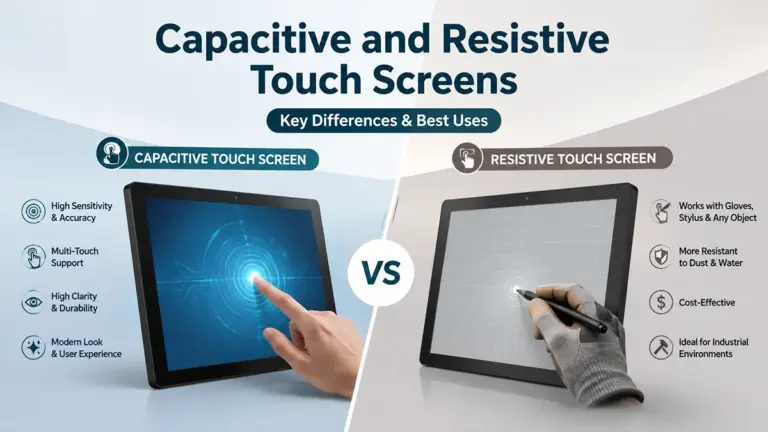
| Touch module | 용량 성 (10-point standard for commercial), resistive for glove/wet environments | Moderate swing; resistive is cheaper but short-lived for high-traffic touch — see our capacitive vs. resistive comparison |
| Computing platform | Pure monitor (no OS), Android mainboard, Windows Intel Core i3/i5/i7 or fanless industrial platforms, 리눅스 | Second-biggest swing; roughly: no-OS < 기계적 인조 인간 < 리눅스 < fanless Celeron/N-series < Core-i Windows |
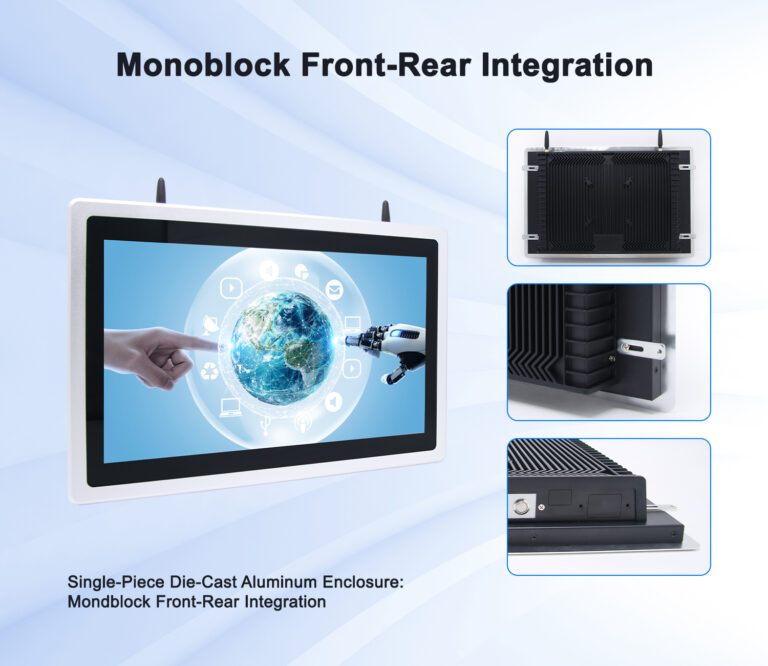
| 울로 둘러싼 땅 & mount | Tempered glass, aluminum alloy or ABS/PC housings, VESA mounts, stands, kiosk structures | Scales with size and material; floor-stand kiosk structures add steel, ballast and shipping volume |
| Interfaces & 주변기기 | PoE, NFC/RFID readers, QR scanners, RS232/RS485/CAN/GPIO, 4G/5G modules, LED status bars | Line-item additions; standard-platform options cost less than one-off integrations |
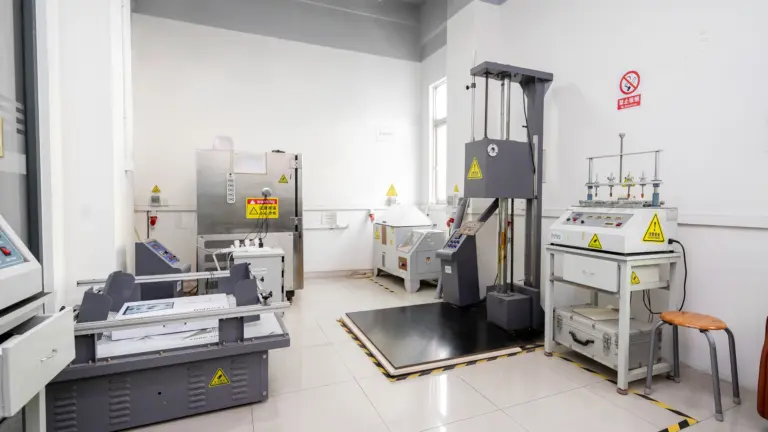
| Assembly, testing & QA | SOP-driven assembly, 24-hour burn-in aging test, pre-shipment QC, APK preload and configuration | Embedded in price — verify it exists; skipping aging tests is how “cheap” units fail in month three |
| Certifications | CE, FCC, RoHS typically included; UL (North America) and UKCA (UK) as cooperation projects | Included certs are priced in; region-specific certs add project cost when your market demands them |
| 기호 논리학 & terms | Packaging, freight, incoterms (EXW / 본선 인도 / DDP), payment structure | Landed-cost lever the buyer controls; large screens raise freight and packaging weight fast |
How Each Specification Moves the Number
Size and panel grade. Price climbs with diagonal, but the steeper steps sit at panel-cut boundaries — 15.6 에게 21.5 inches is a modest step, while 43-inch-plus signage-class panels carry display-wall economics. Within any size, panel grade is the quiet differentiator: commercial builders who commit to A-grade IPS panels pay more per unit than builders buying mixed commercial lots, and pass that on — but mixed-grade lots are where “screen turned yellow” complaints originate. Grade also decides viewing angle and color stability, which matter the moment screens are read off-axis in a lobby or store aisle.
Brightness and glass. Standard-brightness panels are fine for indoor, shaded positions. Storefront glass, skylights, and outdoor-adjacent placements need high-brightness options (1000+ 니트) and anti-glare (AG) glass, each of which is a priced option, not a free swap. Budget them per position in the deployment plan rather than fleet-wide.
Operating system and compute. This is where identical-looking quotes diverge most. A pure touch monitor with no OS assumes your own player or PC behind it — lowest hardware cost, but you buy and manage that compute separately. An Android all-in-one integrates the mainboard, kiosk-mode lockdown, and remote management — the standard choice for self-service and information deployments. Windows platforms (fanless Celeron/N-series for light duty, Core i3/i5/i7 for demanding POS software) cost more and are the right answer where your software demands Windows, such as web POS setups that must drive receipt printers. Linux suits embedded teams who want a clean, license-free base for their own stack.
Interfaces. PoE powering, NFC/RFID readers, scanner modules, industrial buses (RS232/RS485/CAN/GPIO) and 4G/5G connectivity are each line items. The cost-efficient path is choosing a platform that already offers them as factory options — one-off interface work becomes a customization project, which prices differently (see below).
Relative Cost by Form Factor
Exact quotes depend on specification and volume, but the relative cost structure between form factors is stable — and knowing it protects you from quotes that are out of line:
| Form Factor | Typical Configuration | Relative Cost Weight | Main Cost Drivers |
|---|---|---|---|
| Wall-mounted panel (10.1–15.6″) | 기계적 인조 인간, PoE option, LED status bar, NFC/RFID option | Lowest tier | Panel size, PoE, reader modules |
| Desktop touch monitor (15.6″) | Android or Windows, countertop stand | Low–mid tier | OS platform, touch module |
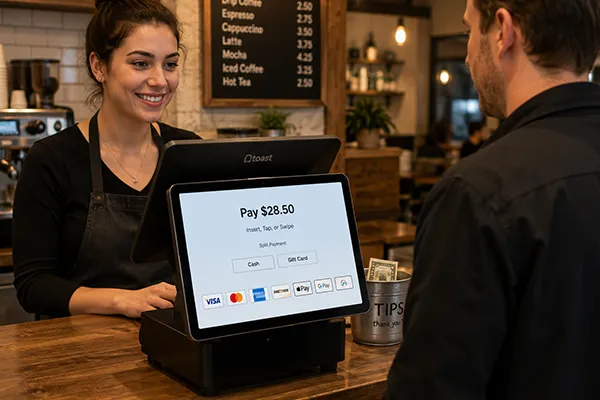
| Dual-screen POS terminal | 15.6″ staff screen + 10.1″ customer display, Windows or Android | Mid tier | Two panels, compute grade, payment-ready layout |
| Self-service kiosk (21.5–32″) | Floor or wall structure, printer/scanner bays, payment module space | Mid–high tier | Panel size, steel structure, peripheral integration |
| Large-format signage (43″+) | High-bright options, AG glass, CMS integration | High tier | Panel cost dominates; brightness/glass options; freight |
If your project spans several of these tiers — door panels, counters, kiosks — the budget should be built as a per-position bill of materials, not one unit price times quantity. 그만큼 Levinko product catalog is organized exactly this way, by product family and configuration, which makes per-position estimating straightforward.
Volume, MOQ and Unit Economics
Commercial display factories price by production rhythm. Standard-product runs are continuous, so reputable manufacturers sell standard and white-label units without a minimum order quantity — one unit for a pilot is a normal transaction, not a favor. Customized runs occupy assembly lines and engineering time, so volume expectations and pricing move together as customization deepens.
Two policies separate professional suppliers from order-takers in the volume conversation. First, price transparency at the sample stage: the supplier should state the production price range for your specification when you order samples, with an explicit validity period, so the number that finances your business case is the number you pay at bulk. Second, price locking for committed volume: for long-running orders, core components are secured with upstream suppliers so unit prices do not drift between the pilot and the rollout. Both policies exist because the industry’s worst habit is the reverse — win the sample with a low price, raise it when the buyer is committed. Ask both questions before the first PO, in writing.
Budget the full deployment curve, not the unit price: pilot units for site testing, the first site batch, and the rollout batches. Each stage should reuse the same specification and the same platform family, because every specification change mid-curve resets testing, integration, and spares — the hidden costs that dwarf component savings.
Customization Tiers and Their Cost Impact
Customization is where unsophisticated budgets blow up — and where sophisticated ones save. The key is that customization is tiered, and each tier prices like a different product:
- White-label customization — your logo silk-screened on the bezel, branded packaging, custom boot screen, your app preloaded and configured at the factory. This tier runs on standard production lines; standard units ship in 3–5 days and this tier adds only days, not weeks. Cost impact: small, mostly one-time artwork and setup.
- Light customization — Pantone-matched enclosure colors, material changes (aluminum alloy, tempered glass variants), adding or removing interfaces (RS232/RS485, PoE, NFC). Samples in 7–10 days. Cost impact: moderate; per-unit uplift plus tooling-adjacent setup, amortized by volume.
- Deep customization — new structures and molds, board-level redesign around Rockchip or Intel platforms, redefined interfaces, certification cooperation (UL, UKCA). Sampling in 30–35 days. Cost impact: a project budget of its own — NRE, tooling, and certification costs on top of unit economics.
The discipline that keeps this affordable is staying on a standard platform while customizing within tiers one and two. Our article on custom touch screen monitor options for OEM projects details what each tier covers, and the OEM and ODM services page shows how the tiers map to factory capabilities.
Certifications, Incoterms and Total Landed Cost
The unit price is not the cost. Three commercial layers decide the total: certification scope — CE, FCC and RoHS are standard on professional builds and effectively priced in; UL and UKCA are cooperative projects with their own cost and timeline when your market requires them. Incoterms — EXW (factory price, you run logistics from the door), 본선 인도 (delivered to the departure port), or DDP (delivered duty paid to your address) shift freight, insurance, duty and risk between parties; large-format displays are freight-sensitive, so the EXW–DDP spread grows with every size band. Payment structure — standard OEM/ODM orders run on a T/T deposit-and-balance pattern (typically 30% / 70%), which your finance team should plan around rather than discover.
Also price the field economics: warranty scope (one year is the professional standard), how the supplier handles RMA — remote diagnosis first, direct-shipped replacement boards and parts with video guides, and spare-parts ratios gifted on bulk OEM orders — and whether the hardware includes reliability engineering like watchdog auto-recovery that reduces site visits. A slightly higher unit price with a disciplined RMA path and spare parts in the box routinely beats a cheaper unit whose failure mode is a return shipment and a six-week gap.
Budgeting a Multi-Site Deployment
Multi-site programs reward platform thinking. When every position — door panel, counter, 정자, signage wall — comes from one platform family, the bill of materials shares mainboards, 인터페이스, bezels and firmware behavior across sizes; integration is written once; spares interchange across the fleet. That consistency is precisely how the four commercial form factors (데스크탑, 벽걸이형, 오픈 프레임, 정자) should be purchased: different sizes, one platform. Budget it as one program with per-position line items, and hold the specification stable from pilot through rollout.
The final budget line most teams miss is time. Standard and white-label units ship in days; light customization samples in 7–10 days; deep customization in 30–35 days to sample. If your deployment date is fixed, the customization tier is effectively chosen for you — and knowing that before quoting prevents the classic failure of pricing tier-three ambitions on a tier-one timeline.
자주 묻는 질문
Why do quotes for the same size commercial touch screen monitor differ so much?
Because the diagonal is the least of the spec. Panel grade (A-grade IPS vs. mixed lots), 터치 기술, the computing platform (no-OS, 기계적 인조 인간, fanless industrial, or Core-i Windows), 인터페이스, enclosure materials, and test coverage (24-hour burn-in or none) each move the number. Two 21.5-inch quotes can legitimately differ by multiples. Compare quotes block by block — panel, touch, compute, enclosure, testing, certifications — not total against total.
Is there a minimum order quantity for commercial touch monitors?
For standard products and white-label customization, professional manufacturers work without MOQ — a single pilot unit is a normal order. Quantity expectations attach to customization depth: interface and material changes amortize best across real volumes, and board-level or mold-level development is scoped case by case. The right sequence is sample first, small batch to test compatibility, then rollout volume on locked pricing.
How much does customization add to the price?
It depends on the tier. White-label customization (logo silk-print, packaging, boot screen, app preload) adds small setup costs and a few days to standard 3–5 day shipping. Light customization (Pantone colors, 재료, adding PoE/NFC/serial interfaces) adds a moderate per-unit uplift and samples in 7–10 days. Deep customization (new molds, 보드 레벨 디자인, UL/UKCA cooperation) is a separate project budget with 30–35 days to sample. Staying on a standard platform and customizing within the first two tiers keeps programs affordable.
How do I keep the bulk price from rising after the sample order?
Two written commitments before the first PO: a sample-stage production price range for your exact specification with a stated validity period, and a price-lock arrangement for committed rollout volume, backed by the supplier securing core components upstream. Suppliers who transparently lock pricing at the sample stage — as Levinko does — are pricing the program; suppliers who quote only the sample are pricing the sample. Freeze the specification too, because every mid-project change reopens the price.
What costs should I budget beyond the unit price?
Budget four layers: freight and packaging (larger formats are freight-sensitive, and EXW vs. FOB vs. DDP decides who carries logistics and duty); certification requirements for your market (CE/FCC/RoHS are standard; UL/UKCA are cooperative projects); deployment economics (mounts, cabling, installation labor); and field support — warranty scope, RMA process, and spare parts. Bulk OEM orders should include a negotiated spare-parts ratio in the box, which is far cheaper than any failure handled by return shipment.