“IP65” appears on half the commercial display spec sheets in the market — and it is also one of the most commonly misunderstood ratings in B2B procurement. Does it mean the unit survives rain? Can it be hosed down? Is it the front panel or the whole enclosure? A kiosk specified at the wrong protection level either fails in its environment within months or, at the other extreme, doubles the hardware budget for protection the installation never needed. Neither mistake is cheap.
This guide decodes IP ratings for touch screen monitors: what the two digits actually certify, which ratings matter in commercial display work, the critical difference between front-panel and full-enclosure protection, and how to map real installation environments to the right level. It is written for engineers and procurement specialists who specify ingress protection for deployments in less-than-clean conditions.
Key Takeaways
- IP = Ingress Protection: the first digit certifies dust/solid protection (0–6), the second certifies water protection (0–9K). Higher digits mean stricter tests, not marketing tiers.
- Most commercial touch monitors are rated at the front panel — IP65 front protection covers splashes, wipe-downs, and dust, not submersion or rear exposure.
- Match the rating to the environment: indoor clean areas run IP54-class fronts, food service and healthcare need IP65, wash-down and covered outdoor positions call for IP66 or engineered enclosures.
- Open-frame and integrated builds inherit protection from the host enclosure — the display rating alone does not certify the finished product.
- Verify claims: ask what was tested (front panel vs. unit), to which standard, and request the test evidence with the quotation.
What an IP Rating Is — and What It Is Not
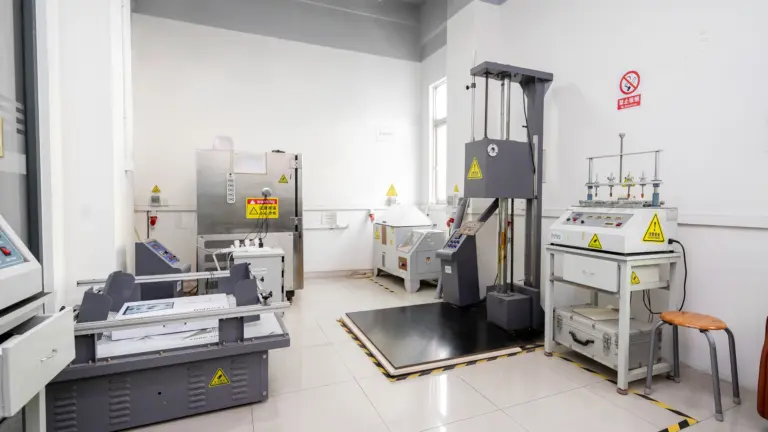
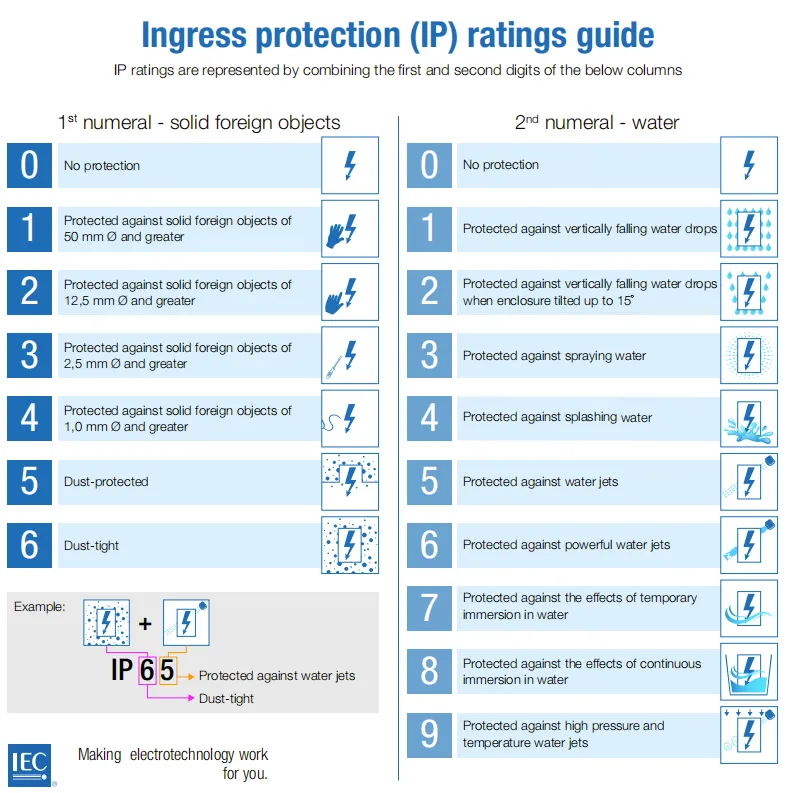
An IP rating (International Protection or Ingress Protection rating, defined by IEC standard 60529) certifies how well an enclosure resists two intrusion classes: solid objects and dust (the first digit) and liquids (the second digit). The rating is earned through defined laboratory tests — dust chambers, spray nozzles at specified pressure and flow, jet angles and durations — not through design intent. A product either passed a specific test sequence or it did not; there is no “approximately IP65.”
What the rating is not: a general durability grade. IP says nothing about impact resistance (that is IK rating territory), operating temperature, chemical resistance, or UV stability — all of which matter in outdoor and industrial deployments. And IP certification applies to the tested enclosure as built: drill a cable hole in the field without a proper gland and the rating is void at that point. Treating IP as one input in an environmental specification, alongside temperature, chemicals, and mechanical risk, keeps specifications honest. For the full decoding table, we maintain a downloadable IP ratings reference guide for project teams.
Decoding the Two Digits
Each digit ranks one intrusion class. The commercial display conversation concentrates on a handful of levels:
| First Digit — Solids & Dust | Meaning | Second Digit — Water | Meaning |
|---|---|---|---|
| 5 | Dust-protected: ingress not entirely prevented, but no harmful deposits | 4 | Splashing water from any direction |
| 6 | Dust-tight: no ingress of dust at all | 5 | Water jets (nozzle) from any direction |
| X | Not tested / not rated for this class | 6 | Powerful water jets — survives wash-down hoses |
| — | (first digit 1–4 covers objects/fingers/tools; rarely cited for displays) | 7–9K | Immersion and high-pressure/high-temperature jetting (specialist gear) |
Reading “IP65” is therefore literal: dust-tight (6) plus water-jet resistant (5). Note the pairing logic — a rating is only as strong as both digits. A display advertised as “IPX5” tells you nothing about dust, which in a flour-dusted bakery or a CNC shop is precisely the ingress class you needed rated.
Front-Panel IP vs. Full-Enclosure IP: The Critical Difference
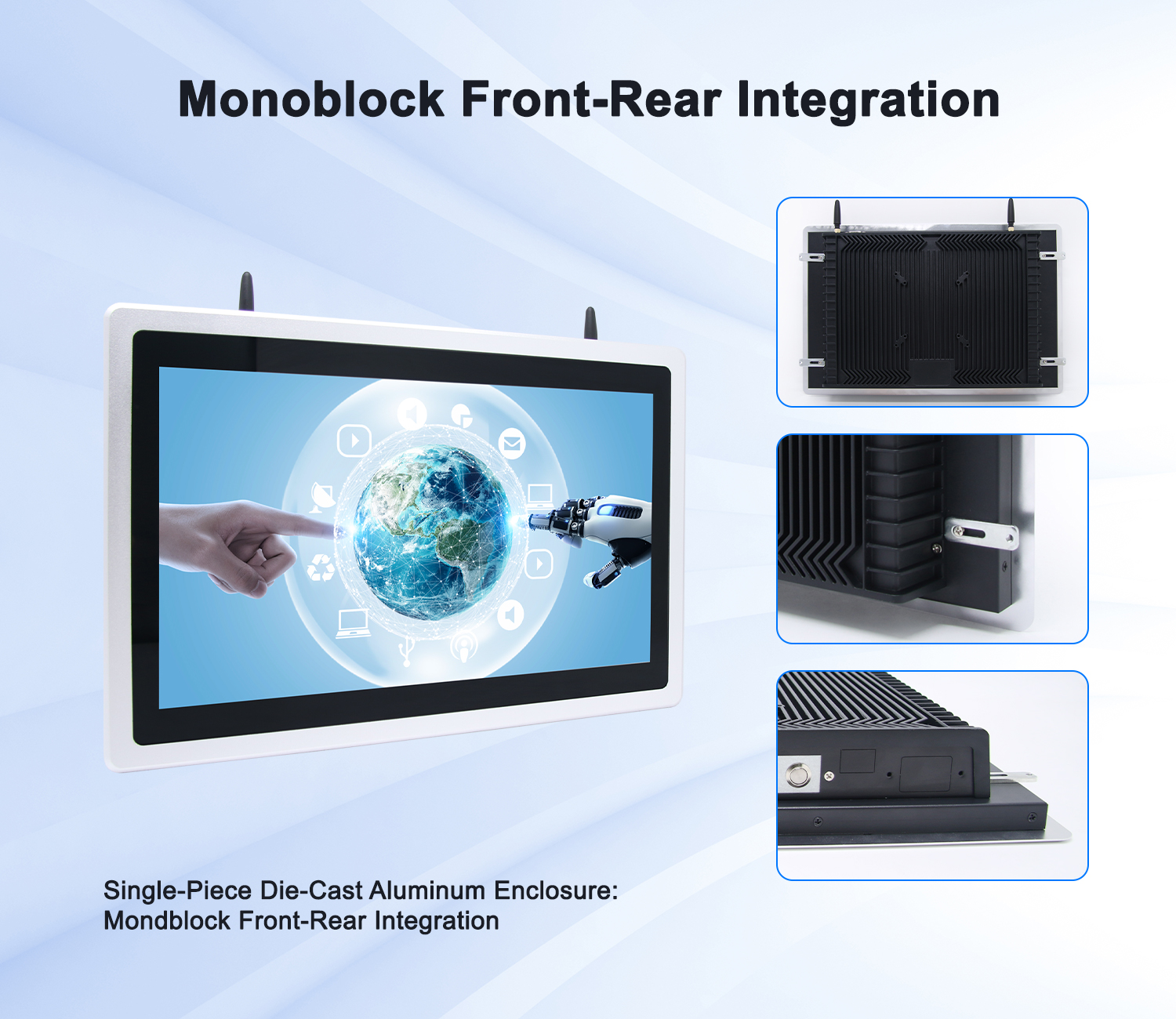
Here is the misunderstanding that costs projects real money: most commercial touch monitors carry their IP rating at the front panel only. An IP65 front rating means the bonded glass, bezel, and sealing at the face of the display resist dust and water jets — exactly the surface that meets rain, splashes, and cleaning cloths. The rear of the unit, with its vents, connectors, and cable entries, is engineered for the protected interior of a wall cavity, kiosk housing, or equipment bay, and is not rated against direct water exposure.
This is a sensible engineering split: in real deployments, the display face takes the environment while the electronics sit inside a host structure. But it converts directly into specification language. If your RFP says “IP65 unit” and the site reality is a semi-exposed kiosk in a fuel-forecourt canopy, the front-panel rating does not cover the rear connectors weathering beside it — that build needs a full-enclosure solution, either a display certified as a complete IP-rated unit or a properly sealed kiosk housing whose own certification includes the display integration. Ask every supplier the same two questions: rated at the front panel or the full enclosure, and tested to which standard? Levinko’s commercial touch monitors, for instance, specify IP65 at the front panel — the correct reading is “faces splashes and dust reliably when the rear is protected by the installation,” and our engineering team confirms enclosure strategy per project.
Matching IP Ratings to Real Environments
Environment mapping is where the rating becomes a purchasing decision. The table below matches the common commercial display environments to a sensible protection level:
| Environment | Typical Threats | Sensible Spec (front panel) |
|---|---|---|
| 사무실, corridor, meeting room | Dust settling, occasional wipes | IP54 class; IP65 if wipe-down regimes apply |
| Retail floor, lobby, 리셉션 | Cleaning chemicals, drink spills, traffic dust | IP65 front panel |
| 헬스케어, food service, kitchen-adjacent | Disinfectant wiping, splashes, grease | IP65 front panel (sealed edges against fluids) |
| Light industrial, workshop, warehouse | Metal/plastic dust, oil mist, vibration | IP65 front; industrial-grade series with sealed housing |
| Wash-down zones, covered outdoor, fuel forecourts | Hose jets, driving rain under cover, wind-blown dust | IP66 front; full-enclosure IP via engineered housing |
| Fully exposed outdoor | Direct rain, sun, temperature swings, pollution | Purpose-built outdoor enclosure (IP66-class + thermal/UV engineering) |
Two refinements sharpen the mapping. First, cleaning regimes often set the real requirement: a lobby display wiped with hospital-grade disinfectant several times a day lives in a harsher fluid environment than its architectural drawings suggest. Second, industrial positions combine ingress classes — dust plus oil mist plus vibration — where the right answer is an industrial-grade platform rather than an office display with a good seal. Series like the IE-series industrial touch panel PCs and the OE-series embedded panels are engineered as complete packages for exactly these positions, with sealed fronts and housings rated for harsh environments. Reference deployments are collected on our industrial manufacturing page.
How to Verify a Claimed IP Rating
Because IP ratings are test-based, they are verifiable — and procurement should verify. The request list is short: what exactly was tested (the front-panel assembly or the complete unit), against which standard (IEC 60529 is the baseline), by whom (in-house lab or third party), and can the test report or certificate accompany the quotation. A supplier who specifies “IP65 front panel, tested to IEC 60529” is making a precise, checkable claim; one who writes only “방수복” is writing marketing. For volume projects, the strongest verification is physical: a sample unit subjected to your actual environment — your cleaning chemicals, your hose pressure, your dust load — during the pilot phase.
Also verify the rating’s survival in installation. Field-drilled cable holes, removed vent covers, and retrofitted peripherals all breach the tested enclosure. Where cable entry is needed, use the gland points the manufacturer provides; where peripherals are added, confirm the integration preserves the seal. And for open-frame integrations, remember that the finished product’s IP rating is yours to certify: the kiosk or machine housing, its gaskets, and the display integration together determine what the complete unit withstands — plan the sealing design with the supplier’s mechanical documentation before fabrication, not after the first wet weekend. Our engineering team supports this sealing review as part of OEM/ODM project integrations.
IP Ratings and Total Cost of Ownership
Protection level is ultimately a cost-of-ownership decision. Under-specifying ingress protection buys a cheaper unit and pays for it in field failures: ghost touches from moisture ingress, dust-fouled fans, connectors corroding behind unsealed panels — each failure a site visit, and in food or healthcare settings, a compliance conversation. Over-specifying buys protection the site never exercises, doubling hardware cost for a wash-down rating in a carpeted office. The correct rating is the one matched to the environment’s real fluid and dust exposure, including its cleaning regime.
The economic sweet spot for most commercial indoor positions is an IP65 front panel on a standard commercial platform — sealed where the environment actually attacks, sensible in price, and available across the size range from door panels to large kiosks. From there, step up deliberately: industrial-grade sealed units for dusty and oily environments, engineered outdoor enclosures for weather exposure. Ask the supplier to walk each position in your roll-out plan through the rating logic — a short conversation that settles a decade of maintenance. Specify once, correctly, and the IP line on the datasheet becomes what it should be — a detail nobody thinks about again for the life of the deployment. To map your specific positions, start with the IP ratings reference guide, then review display options in the Levinko product catalog or send us the environment details for a specification review.
자주 묻는 질문
What does IP65 mean for a touch screen monitor?
IP65 means the rated surface is dust-tight (first digit 6) and resistant to water jets from a nozzle directed at it from any direction (second digit 5). On commercial touch monitors this rating typically applies to the front panel — the bonded glass and bezel face — so the display withstands splashes, wipe-downs, and cleaning fluids at its face. It does not mean the unit is submersible, and the rear of the display still needs the protection of a wall cavity, kiosk housing, or equipment bay.
Is an IP65-rated touch screen monitor waterproof enough for outdoors?
Not by itself. An IP65 front panel handles rain hitting the face and dust in the air, but full outdoor exposure adds direct water on connectors and vents at the rear, UV load, and wide temperature swings — which front-panel ratings do not cover. Covered outdoor positions (under canopies, forecourts with roofing) work with IP65-front displays mounted with the rear protected. Fully exposed installations need a purpose-built outdoor enclosure with its own IP66-class rating plus thermal and UV engineering.
What is the difference between IP54 and IP65 for commercial displays?
IP54 is dust-protected (dust may enter in amounts that do not harm operation) and resists splashing water. IP65 is fully dust-tight and resists directed water jets — a stricter test on both digits. In practice: IP54-class fronts suit clean offices and low-touch corridors, while IP65 is the commercial norm for public positions, 건강 관리, and food service where displays are wiped with fluids or face regular spills. The price gap between the levels is small enough that IP65 is usually the safer default for public-facing installs.
Does an open-frame touch monitor have an IP rating?
An open-frame assembly typically does not carry a meaningful standalone IP rating, because ingress protection is defined by the complete enclosure it is built into. Your kiosk housing or machine panel — its gaskets, bonding, and cable entries — determines what the finished product achieves. Plan the sealing design with the display supplier’s mechanical data before fabrication, and treat the finished product’s IP certification as part of your product engineering responsibility.
How can I verify a supplier’s IP rating claim?
Ask four questions with the quotation: what was tested (front panel or complete unit), to which standard (IEC 60529 is the baseline), by which lab (in-house or third party), and can the test report be provided. Then protect the rating through installation — use manufacturer-provided cable glands, do not field-drill sealed enclosures, and confirm added peripherals preserve the seals. For volume projects, validate a sample unit in your real environment during the pilot phase.