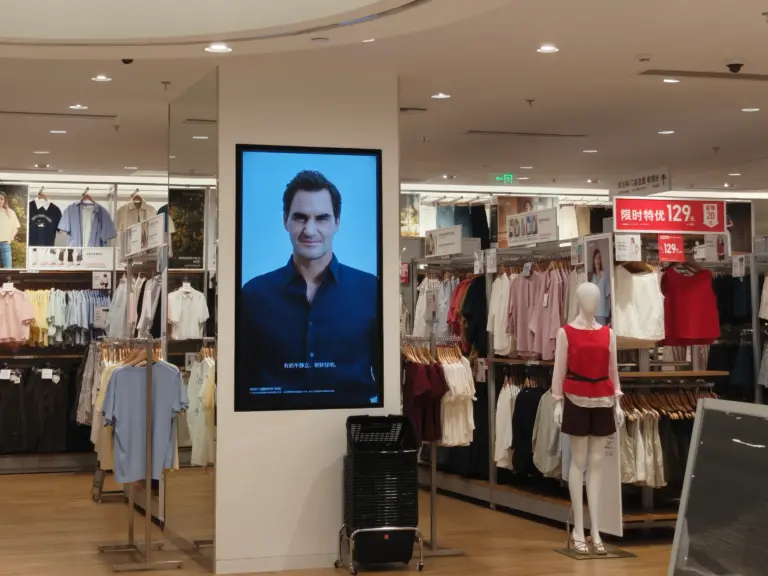
Digital signage procurement fails in a characteristic way: the specification is assembled from showroom impressions and consumer-electronics vocabulary, the order arrives, and the deployment environment punishes every unexamined assumption. The 500-nit display that looked vivid in the sales office washes out behind a south-facing storefront window. The player architecture that ran a demo playlist beautifully cannot execute your conditional content rules. The wall-mount pattern does not match the brackets the integrator already bought. None of these are exotic failures — they are the standard consequences of comparing digital signage for business on the wrong axes. The right comparison starts from the deployment scenario and works backward to the hardware.
This guide gives procurement managers and AV (audiovisual) integrators the comparison framework that survives contact with real installations: how scenario requirements translate into panel, яркость, and duty-cycle specifications; how to choose between Android, Окна, and Linux media platforms against your software stack; which connectivity and mounting details prevent installation-day surprises; what content-management and remote-operations capabilities actually cost and deliver; which reliability features protect unattended 24/7 uptime; and how to read budget, warranty, and supplier terms so the purchase holds up over a five-to-seven-year asset life. Where a concrete reference point helps, the commercial display and player product range illustrates the options discussed below.
Ключевые выводы
- Specify from the scenario backward: ambient light decides brightness, runtime decides duty cycle and panel grade, position decides size, orientation, and mounting, and software decides platform — not the other way around.
- Consumer panels run for evening viewing; business signage needs commercial A-grade IPS panels rated for 16/7 or 24/7 непрерывная работа, or the network dims and yellows years early.
- Platform choice (Андроид, Окна, Линукс) follows your content software and integration requirements: Android SoC players for managed simplicity, Windows for legacy or desktop-dependent stacks, Linux for controlled custom deployments.
- Connectivity details are installation economics: PoE collapses power and data into one run, RS232/RS485/GPIO matter for peripheral integration, and portrait-orientation support must be confirmed before brackets are bought.
- Reliability features — hardware watchdog, OTA firmware paths, burn-in screening — are what let one operations person manage hundreds of screens; warranty and supplier terms are evaluated in writing, per tier of customization.
Start With the Deployment Scenario, Not the Spec Sheet
Every specification line in a signage purchase exists to answer a question about the physical and operational reality of a position. Ask the questions in order. Where is the screen? Indoor lobby, sunlit storefront window, food-service counter, outdoor enclosure — ambient light and environment drive brightness, coating, and ingress-protection requirements. How long does it run? Eight hours on weekdays, sixteen hours daily, or true 24/7 — runtime drives duty-cycle rating and panel grade. What does it show? Static brand loops, daypart-scheduled menus, data-driven dashboards, transactional touch content — the software workload drives platform choice. Who touches it? Nobody (broadcast), staff only, or the public — which drives enclosure security, сенсорная технология, and kiosk-mode requirements. How is it served? Existing LAN (local area network) drops, Wi-Fi only, cellular, or no infrastructure — which drives connectivity and power architecture.
The scenario-first discipline prevents both failure modes of signage procurement: overspending on capabilities the position does not need (a 1,000-nit outdoor-rated panel in an interior corridor) and underspending into a predictable failure (a consumer-duty screen in a 24/7 drive-thru menu position). Write a one-line scenario definition per position type before comparing products: “south-facing window, 18 hours daily, promotional video, public reach, Ethernet available, portrait.” That sentence, repeated for each position family in the rollout, becomes the requirements table every supplier quotation is measured against — and the comparison stops being a spec-sheet beauty contest.
Display Specifications: Panel Grade, Brightness and Duty Cycle
Three display specifications decide whether the screen survives its position. Panel grade and type: commercial deployments specify A-grade IPS (in-plane switching) panels — consistent color, wide viewing angles for off-axis traffic, and manufacturing tolerance suited to continuous operation. Reject vague “high quality LCD” language in quotations and require the panel grade in writing. Brightness, measured in nits: interior positions away from direct sun typically need standard commercial brightness; positions behind glass in sunlight, or in bright food courts and atriums, need high-brightness panels specified at 1,000 nits or more. Pair brightness with the right surface treatment: антибликовый (АГ) coating diffuses reflections in bright environments, while anti-fingerprint (ИЗ) coating matters on touch positions. Duty cycle: the number of hours per day the panel is rated to run — 16/7 versus 24/7 — which is the single most consequential difference between consumer and commercial displays. A panel rated for evening television duty, run eighteen hours a day, accelerates toward backlight decay and the yellowing that makes a two-year-old network look a decade old.
Secondary display considerations follow the scenario. Size and aspect: standard 16:9 panels from 10.1 inches to large-format, plus stretched bar formats for shelf-edge and counter positions — choose size against viewing distance and mounting surface, not against what looks impressive in a showroom. Orientation: many signage positions are vertical; confirm the panel and platform support portrait mounting without thermal derating or image-quality compromise, because portrait support is an engineering characteristic of the panel and driver, not a setting. Resolution: Full HD remains the commercial baseline for most positions, with 4K justified by large formats and close-viewing detail rather than marketing preference. Environment: semi-outdoor, industrial, or food-service positions add front-panel ingress protection — IP65-rated glass assemblies keep out dust and washdown water — and wide-temperature tolerance to the specification; the IP (ingress protection) rating reference guide explains how to read those ratings when comparing quotations.
Platform Choice: Андроид, Windows or Linux Media Hardware
The media platform — the computer inside or beside the screen — is where content software, management tools, and integration requirements intersect, and it deserves a deliberate decision rather than a default. Android platforms dominate modern commercial signage: system-on-chip (SoC) designs on Rockchip-class hardware integrate the player into the display, boot fast, run signage applications and most CMS agents natively, support kiosk-mode lockdown so public-reach screens cannot be exited to a desktop, and typically ship with root access available for integrators who need system-level control. Windows platforms — on Intel Core i3/i5/i7 or low-power Celeron-class silicon — remain the right answer where the content stack depends on desktop software, legacy player applications, or Windows-only CMS clients, and where IT organizations manage signage as part of a Windows estate. Линукс (Debian-class) platforms suit controlled deployments with custom software, where the integrator wants a minimal, stable, fully customizable environment without consumer-OS overhead.
The decision rule is simple: match the platform to the software that must run, then verify the platform’s management characteristics. Integrated SoC players minimize cabling, расходы, and points of failure; separate player boxes — such as standalone Android media players with 4K output — suit positions where the compute may need upgrading independently of the panel, or where one player drives a non-integrated screen. Whichever architecture you choose, confirm the management layer: over-the-air (OTA) firmware update paths, remote monitoring hooks, API (application programming interface) or SDK (software development kit) access if your software drives device functions such as LED status indicators, screen power states, or serial-attached peripherals, and — for fleets spanning sizes — whether the supplier’s API stays consistent across the product line so one integration covers the whole estate. A concrete reference point is the RK3566 Android media player platform: quad-core SoC, commercial Android build, 4K output — the class of device that anchors most managed signage networks today.
Connectivity, Power and Mounting: The Installation Economics
Connectivity choices made at procurement decide installation cost and long-term serviceability. Сеть: wired Ethernet is the reliable default; dual-band Wi-Fi covers positions where cabling is prohibitive; cellular (4G/5G LTE) modules serve remote or temporary positions. Питание через Ethernet (PoE) is the highest-leverage option where supported: one cable carries both power and data, which halves the infrastructure work per position, removes a local power outlet from the electrical scope, simplifies future relocation, and gives facilities a single cable to test when a screen goes dark. Specify PoE-capable platforms during procurement — retrofitting PoE onto a non-PoE display is a mainboard replacement, not a cable swap. Peripheral and control interfaces: RS232 and RS485 serial ports for building-management integration, external controllers, or attached peripherals; GPIO (general-purpose input/output) and relay interfaces on industrial variants; НФК (near-field communication) or RFID (radio-frequency identification) readers where the screen participates in access or identification workflows. If your scenario table names any integration beyond content playback, the interface list must appear in the quotation.
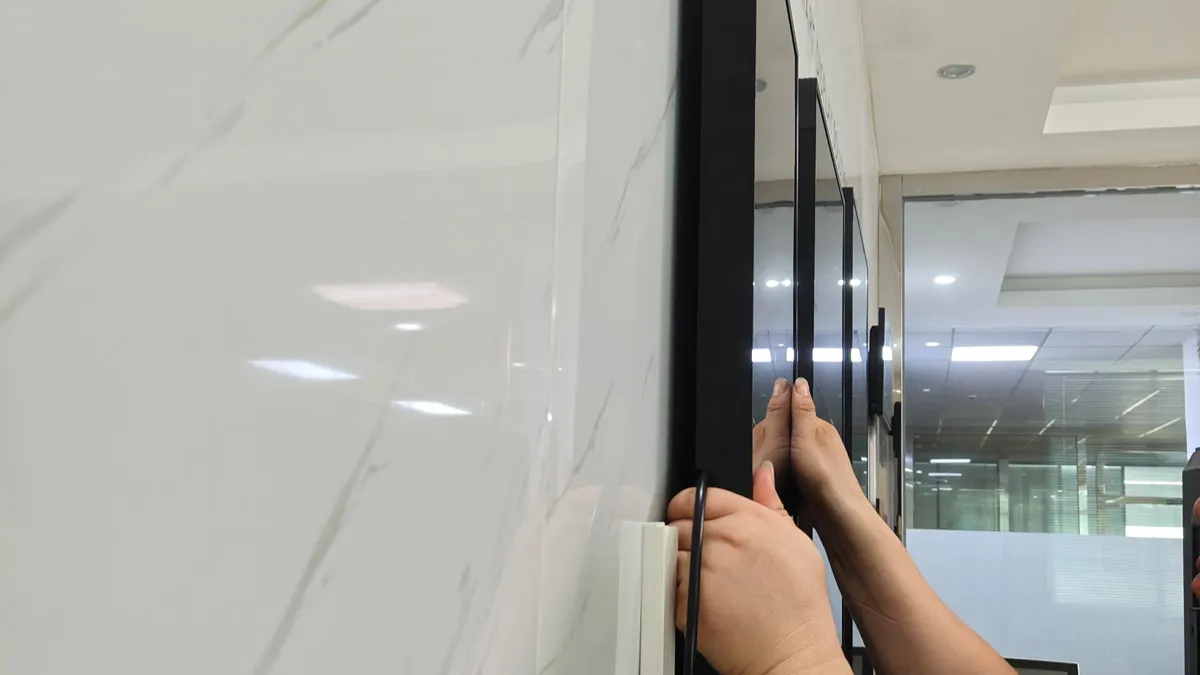
Mounting and physical design carry their own checklist. VESA-standard mounting patterns for wall arms and brackets; pedestal or floor-standing bases with proper anchoring for totem positions; hidden cable routing so installations look finished and cables stay protected in public-reach positions; enclosure materials — aluminum alloy or engineered ABS/PC with tempered glass on touch fronts — chosen for the environment’s abuse profile. Security matters in public spaces: locking enclosures, tamper-resistant fasteners, and glass rated for impact where the position invites contact. The installation-day question every integrator dreads is “does the bracket match the panel and the wall match the bracket” — comparing mounting specifications across the display, the accessories, and the building surface before ordering removes it.
Content Management and Remote Operations Capability
The CMS decision is usually made separately from hardware, but the two must be verified compatible before either is purchased. Confirm the CMS agent runs on the chosen platform and OS version; confirm the player’s hardware decoding handles your content formats and resolutions at the required frame rates; and confirm the scheduling features your scenarios need — daypart switching, location-based playlists, data-driven content feeds — exist in the CMS tier you are buying rather than in an enterprise upsell discovered after deployment. Pricing models are typically per screen per year, which makes the CMS the largest recurring line in the network’s total cost of ownership; multi-year rollouts should model this explicitly rather than treating software as a rounding error.
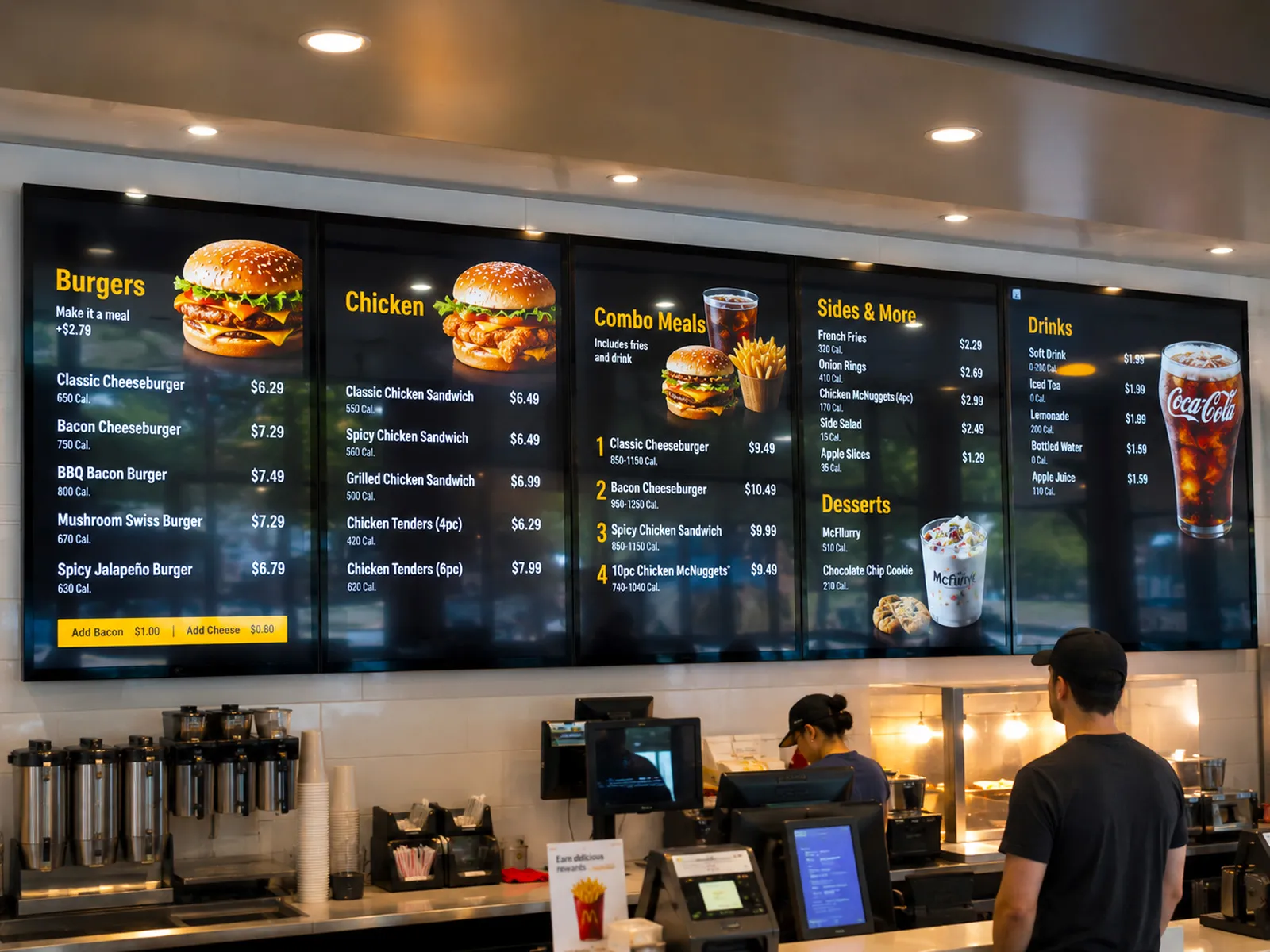
Remote operations capability is the difference between a managed network and a collection of screens. At minimum, the platform should support: centralized health visibility — online/offline status, firmware versions, last-content-confirmation per screen; remote reboot and configuration; OTA firmware and application updates rolled out in cohorts so a bad build cannot darken the estate; and local-playback resilience so content continues during network outages. Where screens run within public reach, kiosk-mode lockdown is mandatory: the application runs full screen, system UI is suppressed, and users cannot exit to a desktop. Organizations integrating signage into their own software should verify API depth — device status queries, screen power control, content triggers — and whether the manufacturer’s API stays consistent across display sizes and platform generations. This is precisely the ground covered in a программное обеспечение и системная интеграция review: the questions to answer before scale, while changing course is still cheap.
Reliability Features That Protect Unattended Uptime
Signage positions are unattended by design, which makes self-healing capability a procurement requirement rather than a premium feature. The first item on the list is a hardware watchdog: a mainboard-level timer that monitors the system and forces an automatic restart if software hangs, typically within roughly fifty seconds on professional platforms. Verify it is implemented in hardware on the mainboard — a software watchdog script dies with the frozen operating system it was supposed to rescue. The second is update safety: platforms supporting A/B partition schemes write new firmware to a standby partition and roll back automatically if the boot fails, which is what makes unattended OTA updates acceptable for business-critical screens. Where cloud connectivity is restricted, verify offline update paths (USB-based or PC-tool flashing) exist for the platform.
The third reliability dimension is manufacturing evidence, which buyers can request and compare: does every unit pass a continuous burn-in or aging test — commonly 24 к 48 hours — before shipment, screening out early-life failures? Is assembly run against documented SOPs (standard operating procedures) with incoming quality control on panels and components? Thermal design deserves a specific question for high-brightness and enclosed positions: how is heat managed at full brightness in portrait orientation, and is the duty-cycle rating validated under those conditions rather than at standard brightness in landscape? Finally, plan the service model at purchase: field-replaceable modules, a spare-parts allowance negotiated into volume orders, and a defined RMA (return merchandise authorization) path. A reliability specification is ultimately a claim about the next five years; burn-in records, watchdog implementation, and service terms are how that claim gets evidenced.
Budget, Warranty and Supplier Terms to Compare
The commercial comparison should be structured like the technical one — line by line, in writing. Total cost of ownership: hardware plus installation infrastructure (where PoE and pre-configuration compress costs), CMS subscriptions per screen per year, content production, and expected maintenance. Warranty: a standard one-year warranty is the industry baseline — compare coverage scope, claim procedure, and extended options. Lead times by customization tier: standard white-label products shipping in days, light customization (logo, chassis color, pre-installed applications) sampling in one to two weeks, deep customization (structural tooling, mainboard changes) running a month or more to sample — reference points that let you sanity-check any quotation’s promises. Price behavior: transparent suppliers state a mass-production price range with a validity period at the sample stage and offer price-locking on core components for volume programs; suppliers who defer volume pricing until after your integration is complete are describing a trap.
Support terms: response-time commitments (twenty-four hours is the professional standard), engineering access by video call in your working language, direct-shipped replacement parts with video guides, and spare-parts allowances on volume orders. Trade terms: payment structure, delivery terms (EXW, FOB, or DDP for door-to-door), and sampling flexibility — single-unit sampling on standard products lets you verify everything in this article against your actual environment before committing volume. The final recommendation is procedural: reduce your scenario table to two or three platform candidates, order sample units, and run your CMS, your content, and your integration against them in the real position — measured ambient light included. Hardware comparisons on paper converge; comparisons against your deployment diverge, and the divergence is the decision. Request quotations and evaluation samples through the product and solutions team to put the framework in this guide against a concrete commercial platform.
Часто задаваемые вопросы
What is the difference between consumer TVs and digital signage displays?
Duty cycle, панельный сорт, and manageability. Consumer televisions are engineered for a few hours of daily viewing; commercial signage displays are rated for 16/7 or 24/7 continuous operation with commercial A-grade IPS panels that resist backlight decay and yellowing under long runtime. Signage displays add brightness options up to 1,000 nits or more for sunlit positions, anti-glare coatings, portrait-orientation support, VESA and commercial mounting systems, optional IP65 front-panel protection, integrated media players with kiosk-mode lockdown, over-the-air firmware management, and hardware watchdogs that auto-restart hung software. Running consumer panels in commercial positions produces predictable early dimming and color shift — the most common hardware regret in first-time signage deployments.
How bright should a digital signage display be?
Brightness is a function of ambient light at the position, measured rather than guessed. Interior positions away from direct sunlight — corridors, lobbies, restaurant interiors — perform well at standard commercial brightness levels. Positions behind south-facing glass, in atriums with skylights, or in bright food courts need high-brightness panels specified at 1,000 nits or more, paired with anti-glare (АГ) coatings to manage reflections. True outdoor positions require outdoor-rated enclosures plus high-brightness panels. The practical method: measure ambient light at the position at its worst hour, specify against it, and validate with a sample unit installed in the actual location — showroom impressions consistently overestimate how a panel reads in a sunlit space, and over-specifying brightness wastes budget and generates heat.
Should I choose Android or Windows for digital signage?
Choose the platform your software stack runs on, not a default. Android dominates modern commercial signage: SoC players integrate into the display, boot fast, run most CMS agents natively, support kiosk-mode lockdown for public-reach screens, and commonly offer root access for integrators. Windows — on Intel Core or low-power Celeron-class hardware — is the right answer when your content stack depends on desktop software, legacy player applications, or Windows-only CMS clients, or when IT manages signage inside an existing Windows estate. Линукс (Debian-class) suits controlled custom deployments with in-house software. Verify before purchase: CMS agent compatibility with the exact OS version, hardware decoding for your content formats, and OTA update capability for the platform you choose.
What is PoE and why does it matter for signage deployments?
PoE (power over Ethernet) delivers both electrical power and network data through a single Ethernet cable. For signage deployments it is an installation and serviceability lever: positions without a nearby power outlet become installable without electrical work, cable runs halve, relocation is simpler, and troubleshooting reduces to testing one cable instead of separating power faults from network faults. PoE matters most at scale — across fifty positions, the electrical work it removes is a material budget line. The decision belongs in procurement, not installation: PoE capability is a platform and mainboard characteristic, and retrofitting it onto a non-PoE display means replacing the mainboard. Where positions already have power and data in the same location, standard AC-powered displays remain a valid choice.
What warranty and lead times should I expect from a signage supplier?
A standard one-year warranty is the industry baseline — compare coverage scope, claim procedure, and spare-parts provisions rather than accepting or rejecting on duration alone. Lead times should be quoted per customization tier: standard white-label products ship within days (three to five days is a professional reference point); light customization — logo, chassis color, pre-installed software — samples in one to two weeks; deep customization with structural tooling or mainboard changes runs thirty days or more to sample. Also verify commercial behavior: a mass-production price range with validity stated at the sample stage, single-unit sampling on standard products, explicit delivery terms (EXW, FOB, or DDP), and a documented RMA process with a response-time commitment. Then order a sample and validate the entire specification against your real position before committing volume.