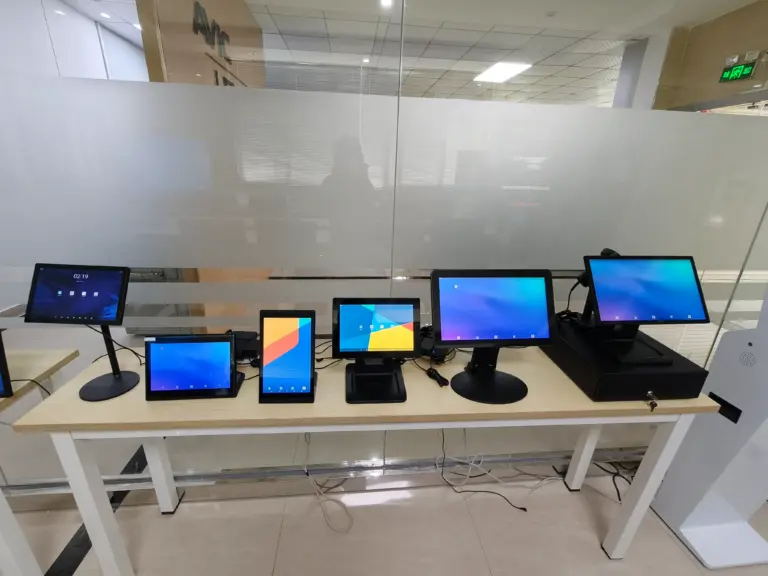
Choosing POS hardware is easy to shop and hard to live with. The shopping version compares pictures and headline specs: a touchscreen, a processor generation, a price per terminal. The living-with version surfaces eighteen months later — the serial port that was promised for the kitchen printer but never wired, the card reader that stopped mounting to the chassis after a “minor revision,” the firmware update that fixed two stores and froze forty, the counter screen that died a dignified death in month fourteen of consumer-grade warranty.
This guide restructures the decision around the ten factors procurement managers and business owners should actually compare, in the order they should be asked: what the hardware has to survive, what it has to connect, what software it has to host, and what the total cost of ownership looks like once support, spares, and failure behaviour are priced in. It is written for commercial buying — single venues standardising a counter, growing chains picking a fleet standard, and integrators specifying terminals for clients — and every factor ends in the same form: the question to ask the supplier, and what a good answer sounds like.
Key Takeaways
- Ten factors worth comparing: environment and duty cycle, touch surface durability, compute headroom, Hafenkarte, display format, peripheral integration, software and API compatibility, network and power, fleet management and firmware lifecycle, and total cost of ownership with service terms.
- Environmental specs decide more failures than performance specs: trading hours, heat, grease, and spills are the real selection criteria for counter equipment.
- The port map and its stability across production batches is the most under-scrutinised line on any commercial terminal datasheet.
- Firmware you can push, Monitor, and roll back across every unit is a hardware feature, not a software afterthought — watchdog recovery and A/B-partition updates included.
- Score quotes on all ten factors, not price: the cheapest terminal with a locked API and no spares path is the most expensive decision on the spreadsheet.
Factors 1 Und 2: The Environment and the Duty Cycle It Demands
Factor one is where the unit will physically live, because the environment writes most of the rest of the specification. A boutique counter and a pizzeria’s register recess are different worlds: ambient heat from ovens, airborne oil that migrates into vents, flour dust, sugar-spill adhesion on touch surfaces, sunlight that washes out a mediocre panel by noon, and a mop that reaches the base of every floor unit twice a day. Note the real conditions per position before reading a single datasheet, then require the hardware to carry documented ratings against them — enclosure sealing where splashes live, anti-glare treatment where light lives, wipeable surfaces everywhere.
Factor two is duty cycle, the quiet spec that separates classes: how many hours per day the panel and backlight are rated to run, and for how many days a week. A venue trading twelve hours a day, seven days a week is at commercial duty even though nothing about the spreadsheet looks industrial; 24/7-rated hardware buys further headroom for the venues that grow into it. What you are catching here is the honest answer to a dishonest question — a supplier that documents duty cycle, brightness maintenance over panel life, and warranty exclusions for continuous operation is telling you what the product is; one that says “it’ll be fine” is telling you what they want to sell.
Factors 3 Und 4: Compute Headroom and the Port Map
Factor three is the processing platform, sized for the software you actually run and the years you plan to run it. Android terminals now carry the majority of new counter deployments in many markets because the POS application ecosystem moved there; Windows remains the answer where legacy retail management software must run natively; Linux sits inside many kiosk builds. What matters across all three: enough memory and storage headroom that a content cache and three app updates do not push the unit into storage pressure mid-service; a system-on-chip class (Rockchip and Intel families are the common ones) whose drivers your software vendor validates; and thermals that hold those clocks in a closed counter recess in August.
Factor four is the port map, and it deserves more scrutiny than any benchmark number: the exact inventory of RS-232 and RS-485 serial ports, USB types and counts, Ethernet, GPIO, display outputs, and options like Power over Ethernet (PoE) or near-field communication (NFC) — plus the commitment that the map stays stable through the production run. Mid-life controller changes are the industry’s least-visible failure: a terminal family quietly switches USB chipsets, a receipt printer’s driver starts enumerating differently, and sixty counters behave strangely after a routine refresh. Ask which chips are in the current build, what the substitution policy is, and get it in writing; the answers belong in the same contract clause as the panel grade.
Factors 5 Und 6: Display Format and Peripheral Integration
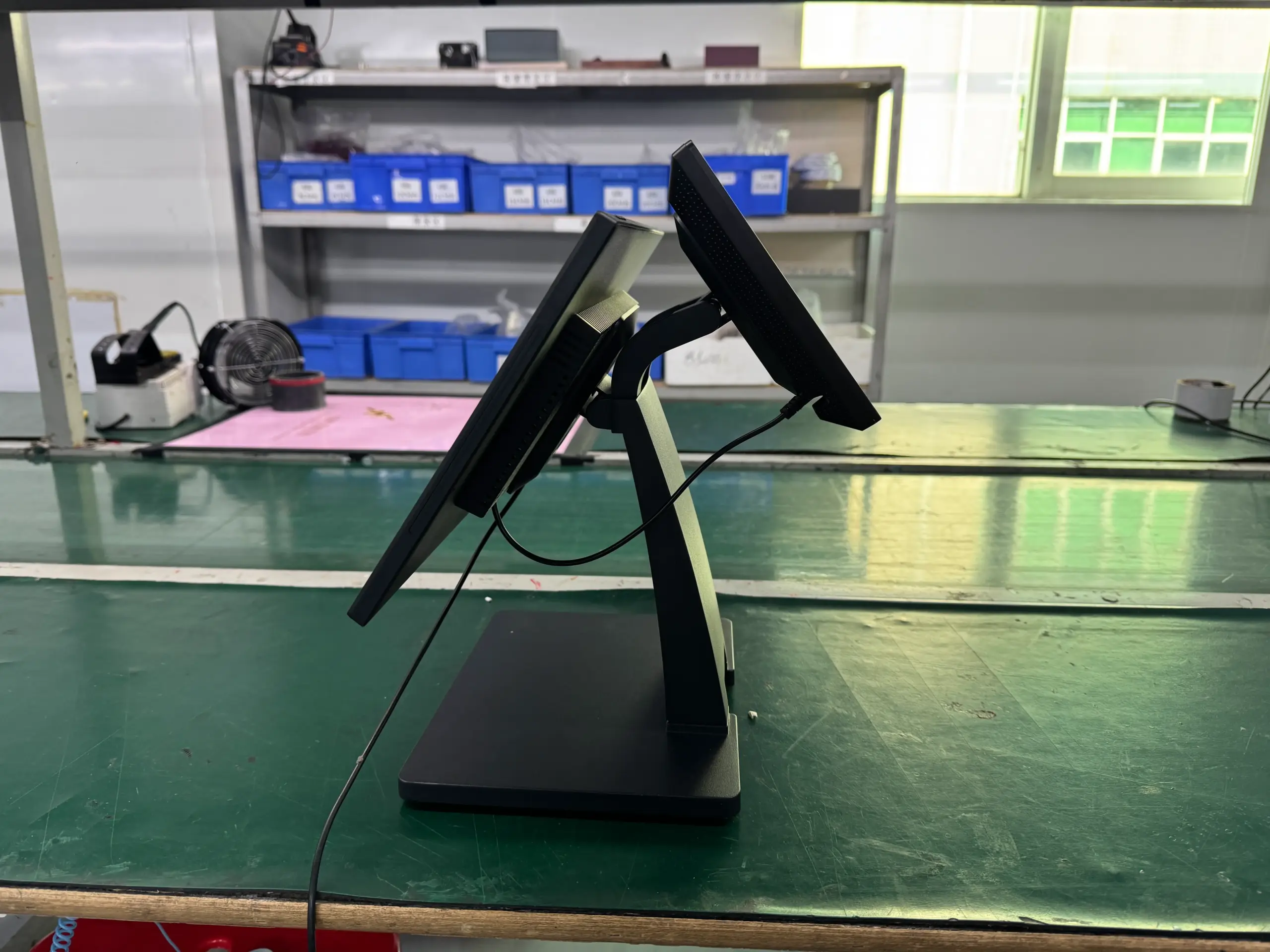
Factor five is the screen plan: size, orientation, and how many panels per position. The 15-inch class remains the counter default for staff-facing order grids; the decision that pays most is usually whether to add a customer-facing second display — order confirmation on the guest’s side cuts payment disputes, carries promotions, and hosts the QR or tap interactions loyalty programs live for. Dual-screen terminals solve this on one arm with one loom; a dual-screen platform in the 15.6-plus-10.1 configuration is the pattern to compare against, because it turns two devices, two power supplies, and two failure points into one of each.
Factor six is everything that hangs off the box: PIN pad, scanner, printer, drawer, and in self-order configurations the cash and card modules inside the kiosk. Each attachment is a driver, a port, a power draw, a mount, and a cable; count them per position and compare vendors on integration count, not unit price. The mature pattern is fewer boxes — a countertop ordering terminal with printer and QR scanning built in has one service path where a till-and-gadgets stack has four, and the difference compounds across a fleet and across every training manual.
Factors 7 Und 8: Software Compatibility, APIs, and the Network
Factor seven is what the terminal must host. Confirm your POS application runs on the operating system and version the unit ships — and will still run after two years of updates; confirm the touch, Anzeige, and peripheral drivers are validated by the software vendor, not assumed. Then the fork that separates catalogue hardware from platforms: how open is the interface layer? A kiosk-mode launcher that locks the screen is table stakes; an API and SDK your team can use to read the NFC tap, drive the customer display, control status LEDs, and invoke the scanner is what turns a purchased box into your product. If your roadmap includes any of that, the software and system integration capability of the manufacturer is a selection factor, not a nice-to-have.
Factor eight is connectivity and power, decided per position: wired Ethernet where the counter has it, dual-band Wi-Fi where the layout changes, cellular (4G/5G LTE) where a market stall or forecourt has nothing, and PoE wherever a new run is being pulled — one certified cable for data and power, which shrinks installation cost and makes every unit addressable for monitoring. The hidden sub-factor is the failure behaviour of the network stack: when the connection drops, does the terminal queue transactions and catch up, or does it present an error to a customer holding a card? Ask which, on the specific software, before deciding.
Factors 9 Und 10: Fleet Lifecycle and the True Cost
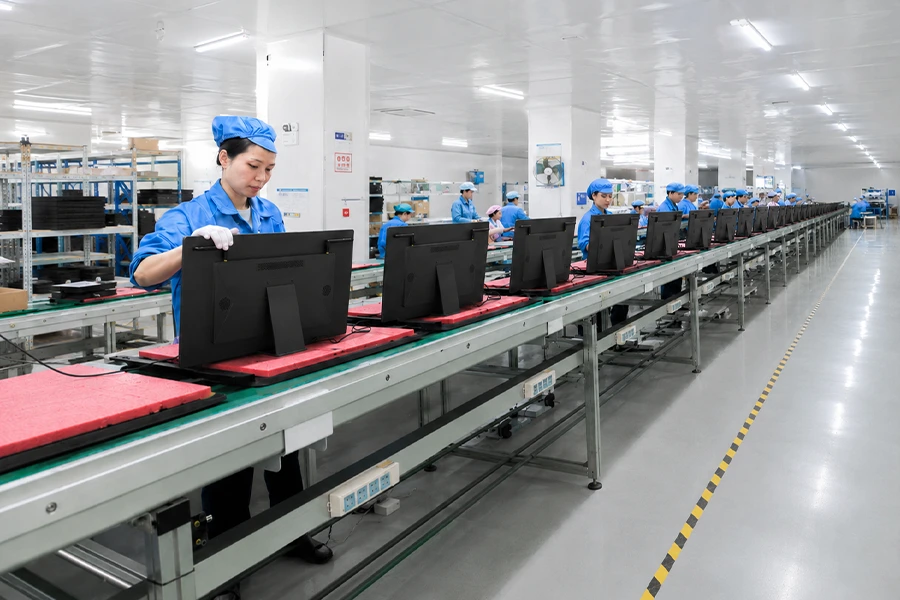
Factor nine is what happens after the invoice: firmware and device lifecycle. The checklist — over-the-air (OTA) update capability with rollback, a watchdog that recovers a hung unit without hands, a device inventory and state report your IT or ops team can query, and a documented window for security and OS updates over the product’s supported life. These are properties of the hardware-firmware system; bought late they are expensive, not bought at all they become the reason a fleet slowly turns dark, one stubborn unit at a time. The burn-in and aging regime behind shipping — continuous run-in stations, not sample-only testing — belongs in the same conversation, and a manufacturer with its own lines will walk you through it.
Factor ten is total cost of ownership, which is where the cheap quote finally gets audited: unit price multiplied by quantity and by replacement rate; plus installation (every separate box and cable run is labour); plus downtime (what an hour of a dead counter costs the venue, times expected failures); plus support terms — the RMA path and who pays freight, the spares ratio held against bulk orders, the escalation route when firmware misbehaves across sites. Price validity belongs here too: a transparent manufacturer locks the volume price with a stated expiry at sample stage, because they intend to ship at it; a quote that only holds until you order is a negotiating tactic, not a plan.
| Factor | Ask the supplier | Good answer contains |
|---|---|---|
| 1–2. Environment, Arbeitszyklus | Ratings for our hours and conditions; warranty exclusions? | Documented hours/day rating, sealing and glare options, written exclusions |
| 3–4. Compute, ports | Chipset, memory headroom, full port map, substitution policy? | Named platform, stable interfaces across batches, policy in writing |
| 5–6. Anzeige, Peripheriegeräte | Formats per position; how many boxes per counter? | Dual-screen option, integrated printer/scanner/payment mounts |
| 7–8. Software, Netzwerk | Validated app support? API/SDK access? PoE/LTE/offline behaviour? | Vendor validation, open interface docs, documented offline queueing |
| 9–10. Lifecycle, cost | OTA with rollback? Aging regime? RMA, spares, price validity? | Update architecture, burn-in explanation, written service and lock-price terms |
Running the Comparison Without Fooling Yourself
Turn the ten factors into a scoring sheet with your shortlist in columns and resist, after the first row, the urge to weigh price more heavily than the rest — the whole design of the sheet is to make the non-price rows visible while the money is still theoretical. Score every claim as demonstrated, documented, or asserted: demonstrated (they show the aging station on video, the API docs arrive, the sample behaves) counts; documented (spec sheets, certificates referencing this configuration) half-counts; asserted (“trust us, it’s solid”) scores zero, politely. Then buy the sample and run it in the worst real position for a set period — the register by the fryer, not the office desk — because factor by factor, the environment is the final judge and the pilot is the only vote that cannot be lobbied.
Two closing heuristics. Standardise one family per position type across the estate — mixed fleets double the spares pool, the training content, and the driver matrix forever — and keep the customisation ladder in view from day one: today’s spec choice about a serial port is next year’s conversation about white-label, Licht, or board-level OEM/ODM work, and buying from a supplier whose ladder starts where you are heading costs nothing extra today and saves a migration tomorrow.
Häufig gestellte Fragen
Android, Windows, or Linux for POS hardware — how do we choose?
Let the software decide first: run the POS application your operation actually wants on the platform it supports best. Android counters dominate new quick-service and retail builds for app availability and cost; Windows stays where legacy retail management or payment software must run natively; Linux suits locked-down kiosk and integration builds where you control the whole stack. Whatever the OS, the hardware questions — duty cycle, ports, thermal headroom, update path — are identical.
How big should the customer-facing display be?
Large enough to read the total and the order from a step back — in practice the 10-inch class is the working minimum at counter distance, with 15-inch-plus second screens where the display also carries menu promotion or loyalty QR content. Prioritise viewing angle and touch responsiveness over resolution on this side of the counter: the customer stands closer than any spec sheet assumes, and reads at an angle.
Do we need PoE for POS terminals?
Where you are pulling new cable, usually yes: one certified Ethernet run carries data and power, which removes an electrician’s task per position and leaves every terminal addressable on the network for monitoring. Where existing outlets and network already reach the counter, PoE is a nice-to-have rather than a rewire justification. For kiosks and displays added during a fit-out or remodel, the single-cable argument is strongest — decide it in the floor plan stage, when it saves money, not after the counters are built.
What warranty and support terms are realistic to expect?
Judge terms, not durations. A useful package defines: what is covered for panels versus electronics, the RMA route with who pays freight each way, turnaround expectations, a spares ratio (often supplied with bulk orders) that keeps a swap-in box on your shelf while the repair happens, and a named escalation for firmware problems that cross a fleet. Commercial hardware sold into multi-site estates lives or dies on that service structure — a longer warranty with a worse logistics path is worth less at 11 a.m. on a Friday.
When does customising POS hardware beat buying standard?
When standard configurations force you to carry permanent workarounds — a dongle for the port you need, a third-party box because the customer display cannot show your UI, a payment mount that cannot be secured — or when your brand and volume justify owning the industrial design. Light customisation (Branding, preload, finish, interface selection on an existing platform) breaks even surprisingly early; board-level development earns its cost at fleet scale or when the device is the product. A supplier offering the whole ladder lets you cross each rung when the numbers say so, rather than switching vendors mid-growth.