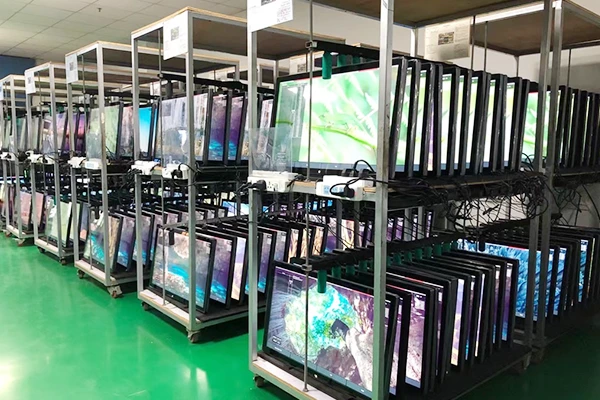
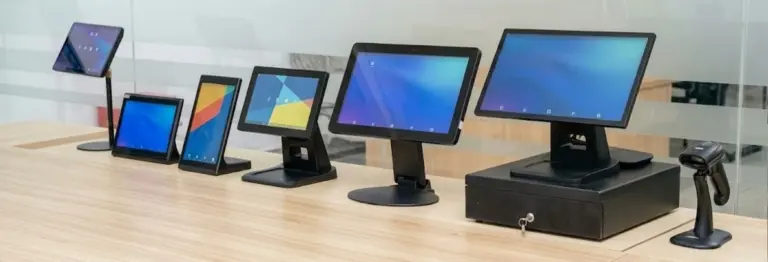
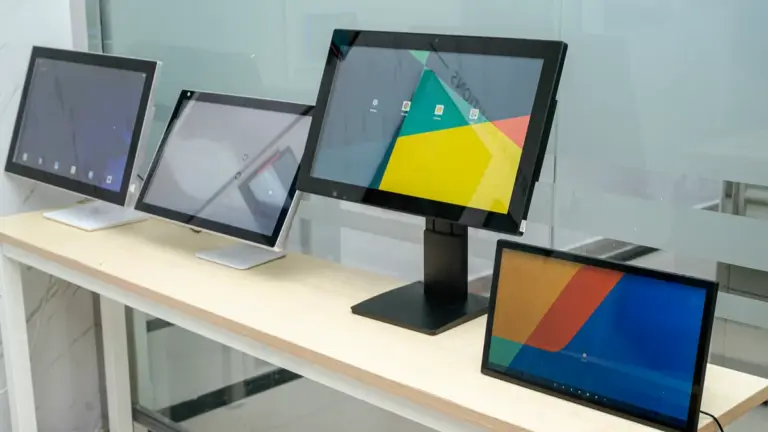
A desktop touch screen monitor may be ideal for a cashier counter or office workstation, while a wall-mounted touch display can improve customer interaction in public spaces. For embedded systems and self-service terminals, open-frame and kiosk touch displays provide more flexible installation options.
Choosing the right touch screen monitor requires understanding the differences between each design, including installation method, usage environment, durability, screen size, and customization requirements.
As a commercial touch screen manufacturer, Levinko provides desktop, mural, kiosk, POS terminals and customized touch display solutions for global businesses, intégrateurs de systèmes, and OEM projects. Understanding the differences between each display type can help companies select the right hardware solution for their applications.
This guide explains the main types of touch screen monitors for business applications and helps you select the best solution for your project.
Why Different Business Applications Require Different Touch Screen Designs
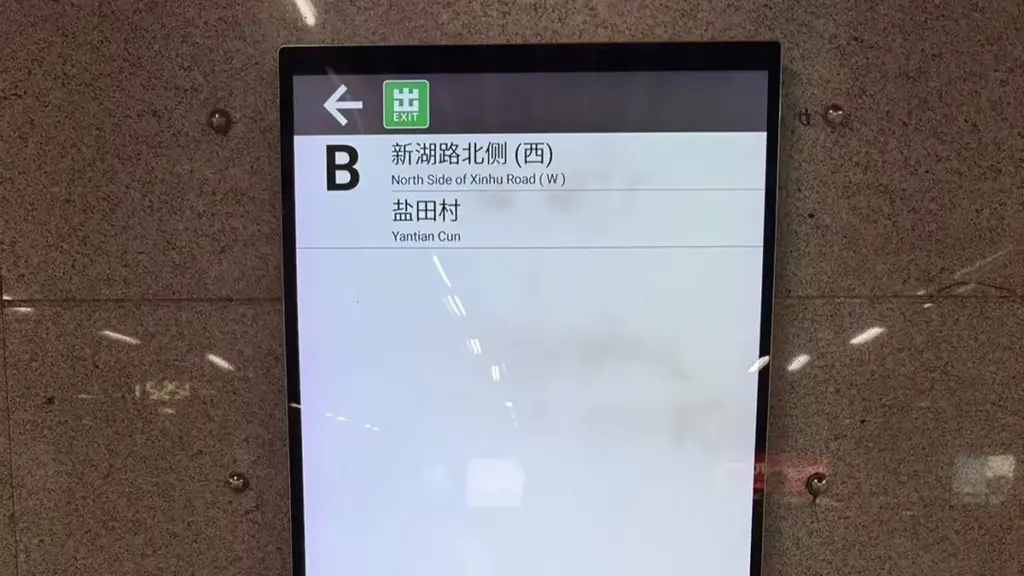
A one-size-fits-all touch screen design doesn’t work. The interface must adapt to the specific user, task, and environment to be effective in any business application.
Different applications create different requirements:
| Business Requirement | Recommended Touch Screen Type |
|---|---|
| Employee operation at a desk or counter | Desktop Touch Screen Monitor |
| Customer interaction on walls or panels | Wall-Mounted Touch Screen Monitor |
| Integration into machines or custom equipment | Open-Frame Touch Screen Monitor |
| Self-service ordering or information terminals | Kiosk Touch Display |
| Advertising and interactive customer engagement | Interactive Digital Signage |
Desktop Touch Screen Monitors
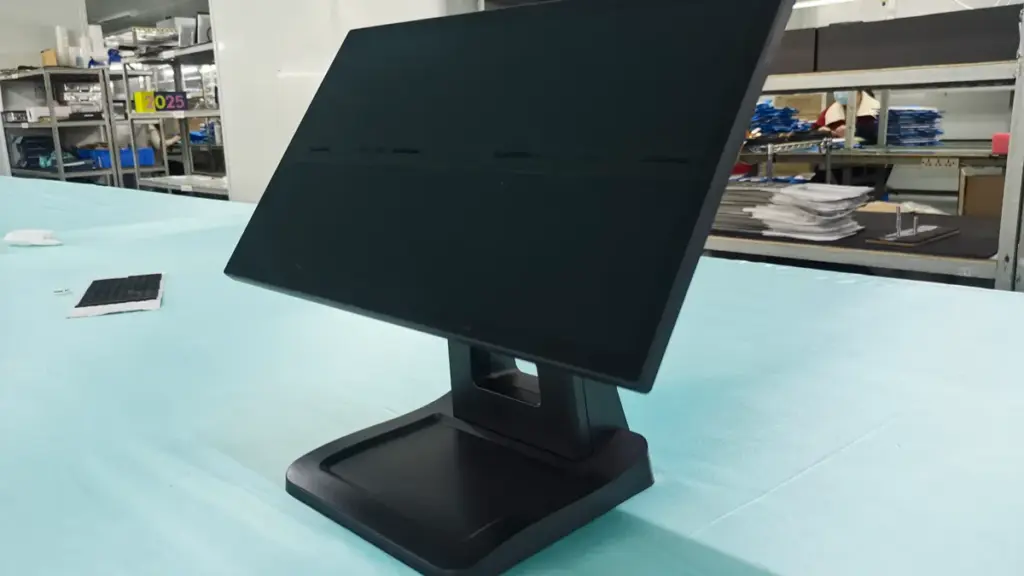
Desktop touch screen monitors are the most familiar type of commercial touch display. They are designed to sit on a desk, countertop, or workstation using a built-in stand or external mounting bracket.
Unlike traditional monitors, desktop touch screens allow users to directly interact with software through touch gestures, making them suitable for point-of-sale systems, office applications, education, and professional workspaces.
Common Applications of Desktop Touch Screen Monitors
Desktop touch displays are widely used in:
- POS systems in retail stores and restaurants
- Reception desks and check-in counters
- Meeting rooms and collaboration spaces
- Training rooms and classrooms
- Healthcare workstations
- Industrial control stations
For example, in a restaurant environment, employees can use a touch monitor to manage orders and payments without requiring a keyboard or mouse. In an office meeting room, a touch display can improve collaboration through interactive presentations.
Advantages of Desktop Touch Screen Monitors
The main benefits include:
Easy installation
Desktop models require minimal setup. Businesses can place them directly on existing counters or desks without modifying walls or equipment.
Flexible operation
Users can switch between touch interaction and traditional computer input methods, making them suitable for many software environments.
Compact design
Desktop touch monitors save space compared with larger interactive displays, which is useful for counters, kiosques, and workstations with limited space.
Cependant, desktop models are generally better suited for controlled indoor environments rather than outdoor or heavy industrial applications.
Wall-Mounted Touch Screen Monitors
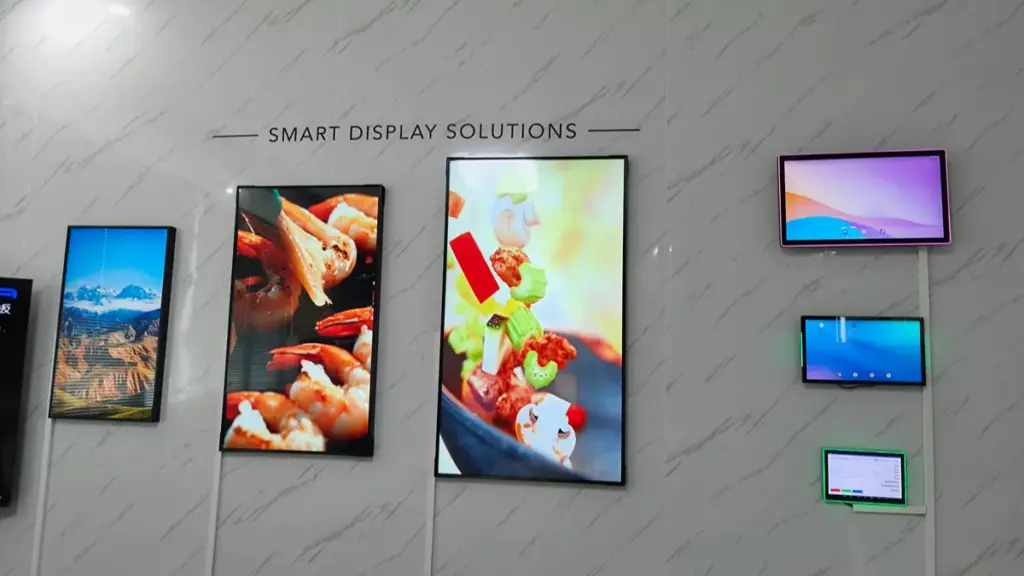
Wall-mounted touch screen monitors are designed to be installed directly onto walls or vertical surfaces. They provide a clean and professional appearance while allowing users to interact with digital content in public areas.
These displays are commonly used where floor space is limited or where businesses want to provide information at eye level.
Common Applications of Wall-Mounted Touch Displays
Typical applications include:
- Digital directories in shopping malls
- Visitor registration systems
- Interactive information displays
- Smart office control panels
- Hospital information terminals
- Hotel self-service systems
For example, a hotel can install a wall-mounted touch display in the lobby for digital check-in, service requests, or local information. A company office can use wall-mounted touch panels for room booking and building management.
Key Features to Consider
When selecting a wall-mounted touch monitor, businesses should consider:
Mounting compatibility
Most commercial wall-mounted displays support VESA mounting standards, allowing easy installation with different brackets.
Screen visibility
Since users interact with the display from different angles, wide viewing angles and suitable brightness are important.
Cable management
A professional installation should keep cables organized and protected, especially in public environments.
Wall-mounted touch screens are an excellent choice for businesses that want a modern, space-saving interactive solution.
Custom Commercial Displays Engineered for Reliability
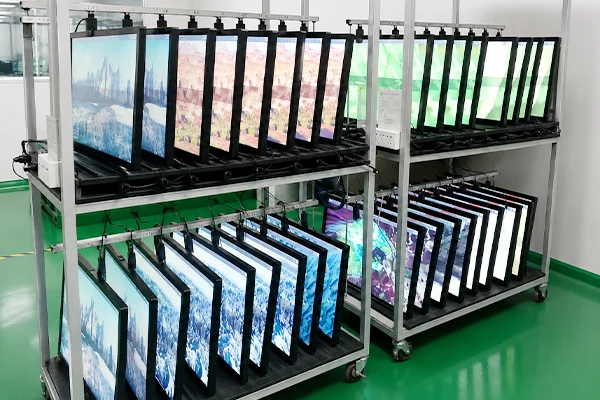
Moniteurs à écran tactile à cadre ouvert
An open-frame touch screen monitor is a display without a traditional outer enclosure. Instead, it provides a front panel and mounting structure that allows system integrators to install it into their own equipment or custom housing. This design offers maximum flexibility for OEM and industrial applications.
An open-frame touch screen monitor consists of:
- Touch panel
- LCD display
- Internal electronics
- Mounting brackets or mounting holes
- Optional protective glass
The display is designed to be integrated into another product, such as a self-service machine, industrial equipment, gaming terminal, or medical device.
Common Applications of Open-Frame Touch Screens
Open-frame models are widely used in:
- Industrial control equipment
- Medical devices
- Gaming machines
- Automated retail systems
- Smart lockers
- Factory automation systems
For example, an equipment manufacturer may integrate an open-frame touch monitor into a machine control panel. The manufacturer can design the external housing according to their product requirements while using a reliable commercial display module.
Advantages of Open-Frame Touch Displays
High customization flexibility
Businesses can choose screen size, mounting method, technologie tactile, brightness level, and interface options.
Easy system integration
The compact structure allows installation inside limited spaces.
Suitable for OEM projects
Open-frame displays are commonly selected by companies developing their own terminals and smart devices.
For businesses looking for customized touch solutions, open-frame monitors provide more design freedom than standard enclosed displays.
Self-Service Kiosk Touch Displays
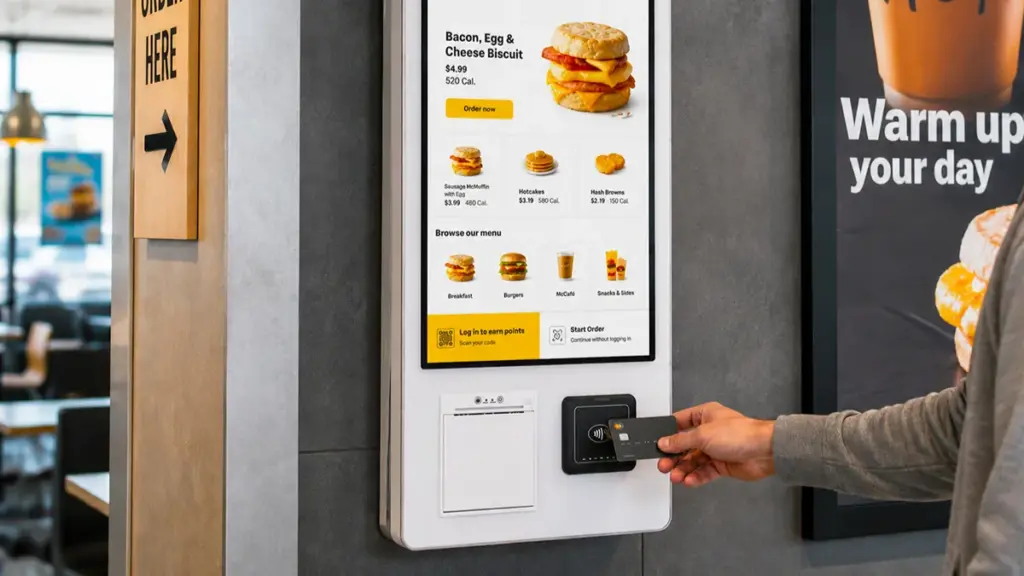
Self-service kiosk touch displays combine a touch screen monitor with a complete standing or countertop terminal structure. Unlike a simple touch monitor, a kiosk is a complete interactive system designed for independent customer operation.
Common Applications of Touch Kiosks
Self-service kiosks are commonly found in:
- Restaurants for self-ordering
- Airports for check-in
- Retail stores for product search
- Hospitals for patient registration
- Banks for customer services
- Public transportation systems
A kiosk allows customers to complete tasks without direct staff assistance, improving service efficiency and reducing waiting time.
Levinko provides commercial touch kiosk display solutions that support different applications, including self-ordering systems, information terminals, smart retail equipment, and interactive service stations.
Interactive Digital Signage Displays

Interactive digital signage displays combine digital advertising with touch interaction. Unlike traditional digital signs that only display information, interactive signage allows customers to explore products, services, or content by themselves.
Common Applications
Interactive digital signage is used in:
- Retail product displays
- Shopping centers
- Exhibition halls
- Museums
- Corporate showrooms
- Educational environments
For example, a retail brand can use an interactive display to allow customers to browse product catalogs, compare features, or request assistance.
Benefits of Interactive Digital Signage
Interactive displays help businesses:
- Increase customer engagement
- Provide more product information
- Reduce staff workload
- Create modern brand experiences
Screen size, luminosité, touch response, and software compatibility are important factors when selecting digital signage solutions.
Comparison of Different Touch Screen Monitor Types
| Type | Installation | Best For | Main Advantages |
|---|---|---|---|
| Desktop Touch Monitor | Desk or countertop | PDV, office, reception | Easy installation and flexible use |
| Wall-Mounted Touch Monitor | Wall installation | Information systems, smart offices | Space-saving and professional appearance |
| Open-Frame Touch Monitor | Embedded installation | OEM equipment, machines | High customization flexibility |
| Touch Kiosk Display | Standalone terminal | Self-service applications | Complete interactive solution |
| Interactive Digital Signage | Wall or floor mounting | Retail and public spaces | Customer engagement and advertising |
Which Type of Touch Screen Monitor Fits Your Business?

Choosing a monitor isn’t about the latest tech. It’s about matching the right technology—PCAP, Resistive, or IR—to your specific business environment and user needs.
Core Touch Screen Technologies Explained
Not all touch screens are created equal. The underlying technology dictates performance, durability, and cost, making your choice critical for the intended application.
- Resistive: This technology is pressure-activated, meaning it works with anything—a gloved hand, a stylus, or a pen cap. It’s a highly cost-effective solution for simple input, like button-pressing in an industrial control panel or legacy POS system.
- Projected Capacitive (PCAP): This is the same technology used in modern smartphones. It provides a fluid, multi-touch experience with excellent screen clarity and durability, making it the standard for most customer-facing and office applications.
- Infrared (IR): An invisible grid of light beams is projected over the screen surface. When you touch the screen, you break the beams, which registers the touch point. With no physical overlay, IR offers outstanding image quality and is ideal for large-format interactive displays.
- Optical Imaging: This system uses small cameras to detect touch. It scales cost-effectively for very large interactive displays and video walls where other technologies become prohibitively expensive.
Matching the Monitor to Your Business Environment
The environment is the single most important factor. A screen that excels in a quiet office will fail on a factory floor or in direct sunlight.
- Indoor Commercial & Office: For retail stores, lobbies, and meeting rooms, visual quality is paramount. PCAP or IR technologies deliver the responsive multi-touch and crisp image quality needed for a professional user experience.
- Industriel & Warehouse: Environments with dust, moisture, and operators wearing gloves demand rugged hardware. Tough resistive screens or industrial-grade PCAP monitors are the only reliable choices here.
- Outdoor & Semi-Outdoor: Sunlight readability is the top challenge. These applications require high-brightness (≥1000 nits) PCAP screens housed in fully weatherproof enclosures to survive the elements.
- Education & Collaboration: Classrooms and innovation labs thrive on multi-user interaction. Large-format IR or PCAP displays supporting 10 or more simultaneous touch points are the standard for group work.
Key Decision Criteria for Your Selection
Once you’ve identified the environment, drill down into these four criteria to finalize your choice.
- User Interaction: Do you need simple single-touch for button presses, or do users expect fluid multi-touch gestures like pinch-to-zoom? The answer dictates whether a basic resistive screen will suffice or if you need a more advanced PCAP or IR model.
- Durabilité & Protection: Assess your risk. Does the screen need to withstand public use, potential impacts, or exposure to liquids and dust? Look for features like reinforced glass and IP-rated sealed enclosures.
- Taille de l'écran & Footprint: Match the display size to the viewing distance and physical space. This could be anything from a compact 15-inch POS monitor on a crowded counter to a massive 86-inch interactive wall in a corporate lobby.
- Connectivité & Compatibility: Verify that the monitor supports the necessary video (HDMI/DisplayPort) and touch (USB/Serial) interfaces to integrate seamlessly with your existing computers and systems.
Recommended Types for Common Business Scenarios
Applying these principles, here are the go-to solutions for some of the most common business applications.
- Retail POS & Payment Counters: High-transaction environments demand speed and durability. Compact PCAP monitors (10–17″) offer the fast, fiable, and modern user experience shoppers expect.
- Restaurant & Hospitalité: Spills and grease are part of the job. Sealed, easy-to-clean PCAP monitors are the best choice for resisting contamination in both front-of-house ordering stations and back-of-house kitchen systems.
- Corporate Meeting Rooms: The goal is collaboration. Large (55–75″) interactive PCAP or IR displays turn a standard wall into a digital whiteboard, perfect for brainstorming and presentations.
- Public & Wayfinding Kiosks: These displays must withstand constant public use. Durable IR or PCAP screens in robust housings are essential. For any outdoor placements, high-brightness PCAP is required for visibility.
Conclusion
Different business applications require different touch screen monitor designs. Desktop touch displays provide simple operation for counters and workstations, while wall-mounted models offer space-saving interactive solutions. Open-frame touch screens provide flexibility for OEM integration, and kiosk displays support complete self-service experiences.
Before selecting a touch screen monitor, businesses should consider their application environment, installation method, screen size, and customization needs.
As commercial touch screen solutions continue to expand across industries, choosing the right display type can help companies improve efficiency, enhance customer interaction, and build smarter digital experiences.
Foire aux questions
Can Levinko customize touch screen monitors for different applications?
Oui. Levinko provides customized touch screen monitor solutions for businesses, intégrateurs de systèmes, and OEM customers. Customization options include screen size, technologie tactile, operating system, luminosité, housing design, and hardware configuration to meet different application requirements.
What are the types of touch screen monitors?
Touch screen monitors are classified by their touch-sensing technology. The main types are Resistive (pressure-based, works with gloves), Capacitive (detects the body’s electrical properties, supports multi-touch), Infrared (IR) (senses touch when an IR light grid is broken), and Surface Acoustic Wave (SAW) (uses ultrasonic waves). Projected Capacitive (PCAP) is dominant in modern devices, while resistive screens remain vital for industrial applications.
What is an open-frame touch screen monitor?
An open-frame touch screen monitor is a display module without a finished outer case or bezel. It is engineered to be embedded directly into a larger system like a kiosk, industrial machine, or medical device. It consists of the bare panel, capteur tactile, and a metal chassis with mounting points, serving as an integration component for system builders.
What is a wall-mounted touch screen used for?
A wall-mounted touch screen serves as a fixed interactive interface for information, control, and transactions. Common applications include self-service kiosks for ordering or check-in, interactive wayfinding maps in malls and airports, building control panels for smart homes and offices, and digital collaboration boards in meeting rooms.
What is the difference between a kiosk and a touchscreen monitor?
A touchscreen monitor is a single component: an interactive display. A kiosk is a complete, self-service terminal that includes a touchscreen monitor, an enclosure, an embedded computer, logiciel, and often peripherals like printers or payment readers. Essentially, the monitor is the interface, while the kiosk is the entire functional system.
What size touch screen monitor do I need?
The ideal size depends on viewing distance and use case. For close-range interaction (desktops, PDV), 15″ to 27″ is common. For mid-range viewing (wayfinding kiosks), 32″ to 55″ is suitable. For large rooms (collaboration, presentations), 65″ and larger screens are necessary to ensure visibility for all participants.
Can a touch screen monitor be wall mounted?
Oui, a touch screen monitor can be wall mounted if it has a VESA-compatible mounting interface on its back. Most commercial-grade touch monitors are designed with standard VESA hole patterns for this purpose. It is important to use a sturdy wall bracket rated to handle the monitor’s weight plus the dynamic force of repeated touch interactions.