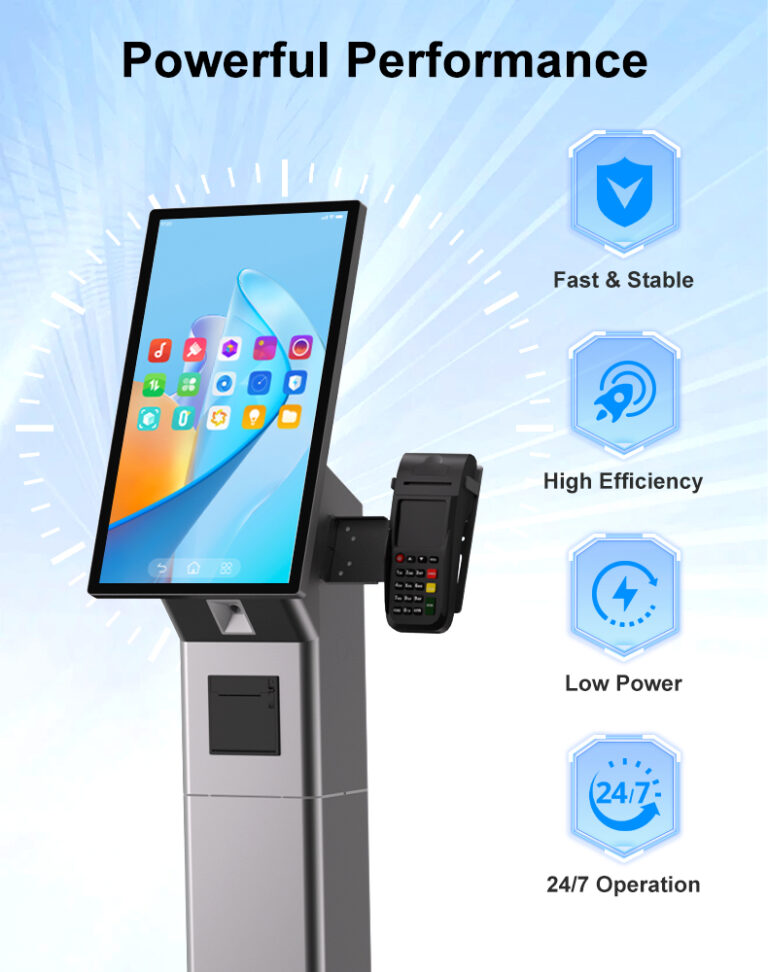
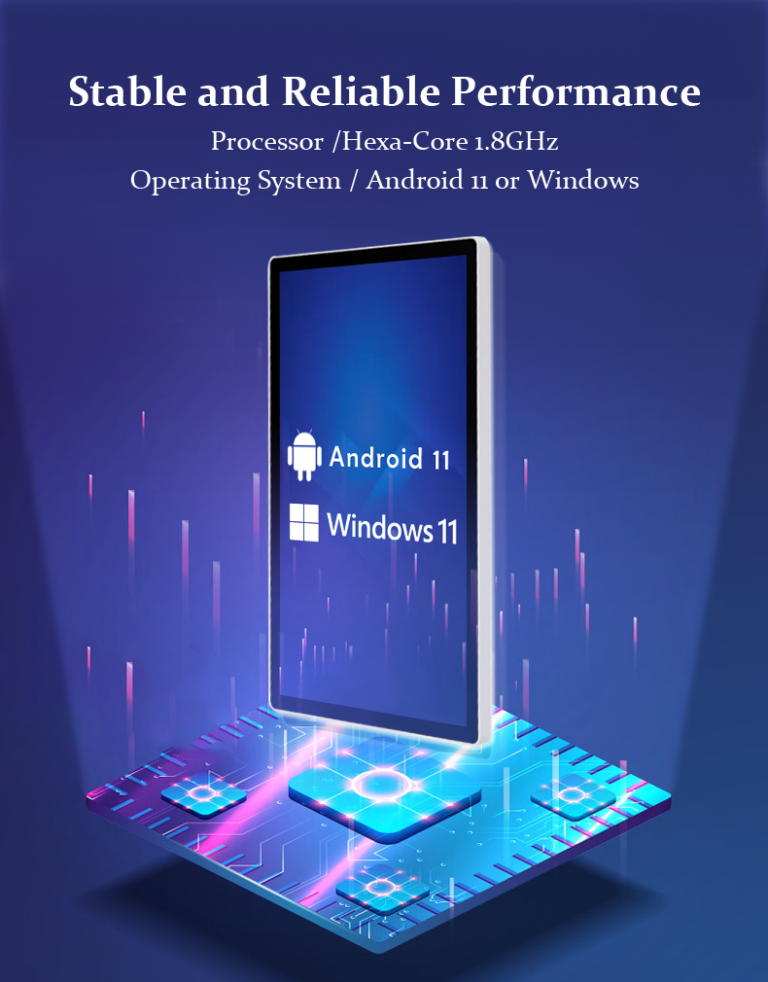
A touch screen monitor that freezes on a wall is not a helpdesk ticket — it is a public failure in front of every customer who walks past it. Commercial deployments run hardware for years in unattended, always-on duty, which is why professional manufacturers test before shipping and consumer-electronics brands largely do not. The difference between a fleet that quietly runs for years and one that generates monthly site visits is decided on the factory floor, in the testing stages between component intake and the sealed carton.
This guide walks through how commercial touch screen monitors are actually tested for reliability before deployment: the production test flow from SMT to shipping, what a 24-hour burn-in proves, how panels and enclosures are checked, how software hardening like watchdog recovery is validated, and — most importantly — how you as a buyer can audit a supplier’s testing instead of trusting a brochure. It is written for QA managers and procurement leads evaluating supplier testing processes. For background on the hardware itself, see our primer on how touch screen monitors work.
Key Takeaways
- Reliability testing is a production flow, not a single lab event: board-level checks at SMT, SOP-driven assembly, functional tests, a 24-hour burn-in, and pre-shipment QC each catch different failure classes.
- The 24-hour mandatory burn-in exists to force infant-mortality failures at the factory — where a failed unit costs a rework, not a site visit.
- Panel policy is a test policy: committing to A-grade IPS panels with dead-pixel and uniformity inspection is what prevents yellowing, blotches, and early degradation in the field.
- Software hardening is testable: hardware watchdog auto-recovery (restart within 50 seconds of a hang), kiosk-mode lockdown, and OTA update paths should be demonstrated, not claimed.
- Audit with evidence: an ISO 9001-certified factory should show aging-test photos or videos, sample test reports, and accept running your own application during the pilot batch.
Why Testing Discipline Predicts Field Reliability
Electronic hardware fails on a curve: a spike of early failures from component and assembly defects, then a long flat period, then wear-out years later. Commercial deployments are designed to live entirely in the flat middle — which means the manufacturer’s real job is to keep the early-failure spike inside the factory. Every test stage in production exists to catch one slice of that spike: SMT checks catch defective boards before they are ever assembled, functional tests catch integration faults, and the burn-in catches the marginal units that pass a five-minute bench check but fail under sustained heat and load.
This is also where the commercial and consumer supply chains genuinely diverge. A consumer tablet that fails in month two is a warranty replacement; an unattended kiosk that freezes is lost transactions, brand damage, and a technician dispatch. Professional factories therefore build testing into the production line itself — standardized, documented, repeated on every unit — rather than sampling a batch and hoping. When you evaluate suppliers, you are really evaluating whether that testing system exists and runs on your 単位.
From SMT to Shipping: The Production Test Flow
In an integrated factory, reliability testing starts before the product looks like a product. A flow worth demanding from any supplier looks like this:
| Stage | What Happens | Failure Class It Catches |
|---|---|---|
| SMT & PCBA checks | In-house SMT lines place and inspect components on mainboards before assembly | Solder defects, cold joints, defective components |
| SOP-driven assembly | Standardized work instructions govern every station — torque, fit, cable routing, ESD handling | Assembly variation: loose connectors, pinched cables, inconsistent fit |
| Functional test | Touch accuracy across the full panel, display output, audio, インターフェース (USB/RS232/RS485), readers and modules | Integration faults: dead touch zones, faulty ports, module mismatches |
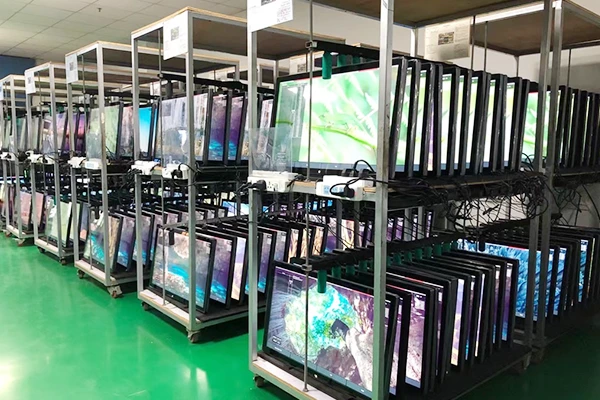
| 24-hour burn-in | Every unit runs under sustained power and load in the aging room | Infant mortality: marginal boards, panels, and power paths that pass a bench check |
| Pre-shipment QC & config | Final inspection, firmware settings, batch APK preload and kiosk-mode configuration per order | Configuration errors — the “worked in the demo, wrong on site” class |
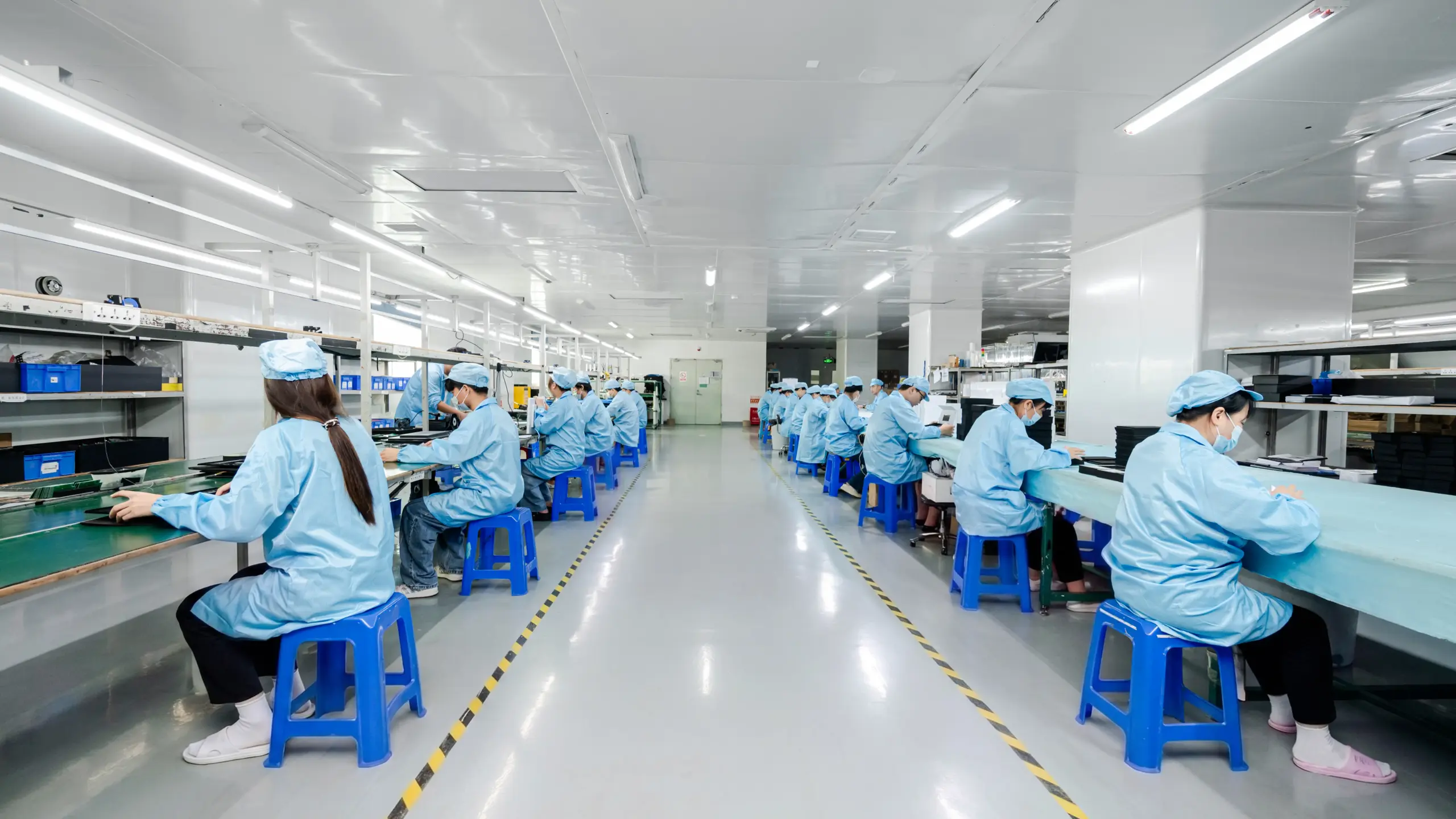
The factory’s role matters more than most buyers realize. An ISO 9001-certified manufacturing operation running in-house SMT and documented SOPs can trace a failed unit back to its station and material lot — which is what turns a field failure from a mystery into a corrected process. Trading companies assembling from scattered workshops cannot, and their “テスト” is usually a power-on check at best. Levinko’s manufacturing page shows the production environment these stages run in.
The 24-Hour Burn-In: What It Proves
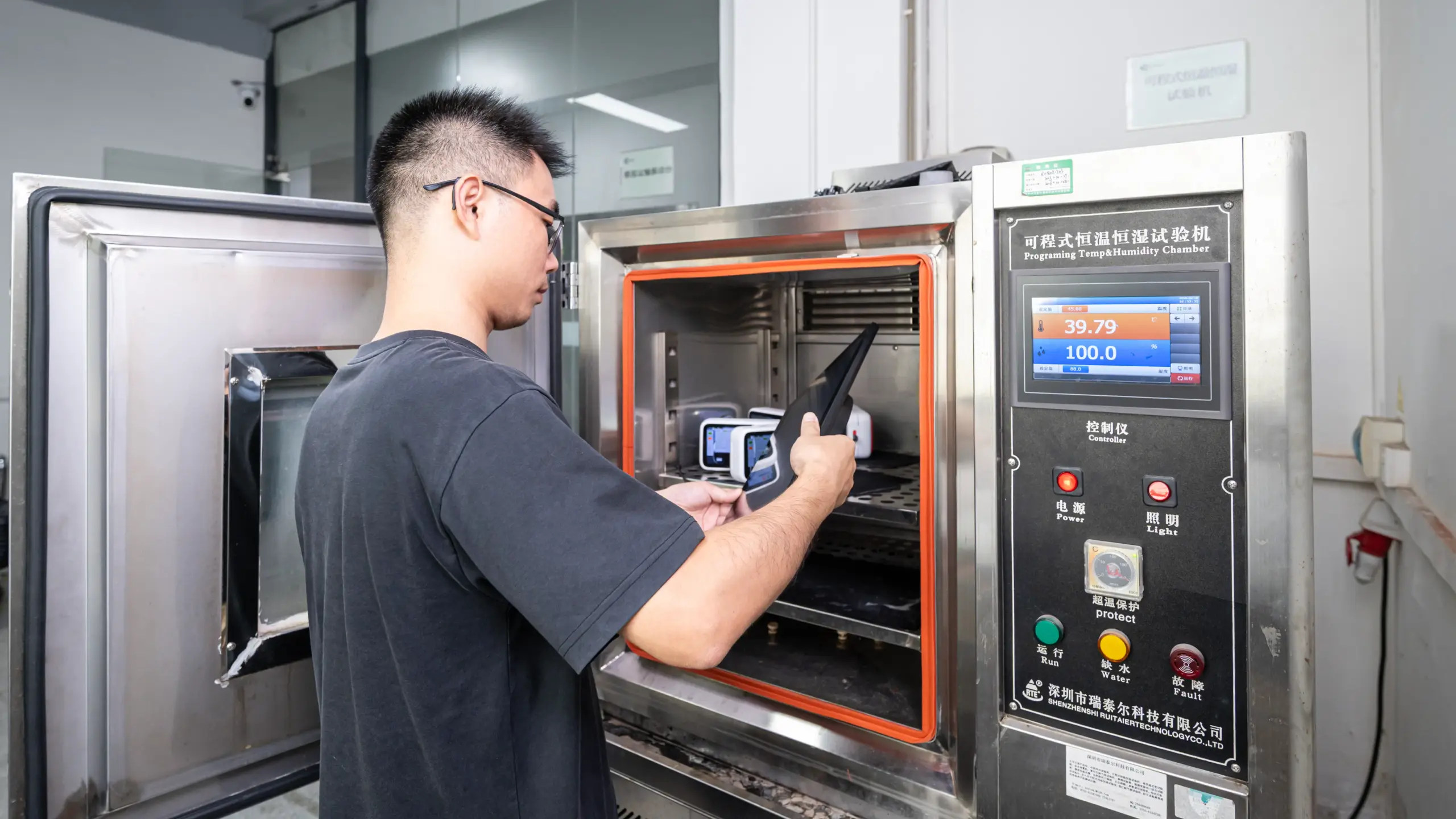
The aging room is the signature stage of commercial display QA. Every unit — not a sample — is powered on and run under sustained load for a full 24-hour cycle. The purpose is simple: electronic defects that survive a short bench test frequently fail under continuous heat, and heat is exactly what a sealed kiosk or wall panel generates in daily 24/7 duty. The burn-in compresses weeks of light usage into one day and forces marginal units to fail at the factory, where the cost is a rework ticket instead of a field replacement.
When you audit a supplier, ask specifically: is the burn-in mandatory on every unit, or optional per order? What load runs during it — a static image, or a cycling pattern that exercises panels, backlight, and compute? What is the reject rate, and what happens to rejected units? A factory that runs this stage honestly has the numbers ready; a factory that describes testing in vague brochure language usually does not run it at all.
Panel and Optical Quality Checks
The panel is both the most expensive component and the most visible failure surface, so panel QA deserves its own scrutiny. Professional builders commit to A-grade panels — IPS first — and inspect for dead or stuck pixels, backlight uniformity, color consistency, and edge light bleed before a unit passes. This grade policy is the direct answer to the classic commercial complaint of screens yellowing or blotching within a year: mixed-grade panel lots pass a power-on test and degrade early, while graded, inspected panels hold calibration for the deployment’s life.
Optical checks extend to the options you specify. High-brightness (1000+ ニット) variants and anti-glare (AG) glass are verified for the positions they will serve — under storefront glass or skylights, a standard panel that passed in the lab still washes out on site. Touch quality is checked across the full surface, not the center: commercial capacitive touch should hold 10-point accuracy edge to edge, because kiosk users tap wherever the interface puts buttons. If your fleet mixes formats, our guide to touch screen monitor types for business explains which display class each position needs.
Environmental and Mechanical Verification
Commercial hardware lives in environments consumer hardware never sees, and the test program should reflect the specific one you are deploying into. Front-panel protection is the standard line: commercial touch monitors are built to IP65 on the front face, meaning sealed against dust and water jets where the panel meets the bezel — the surface that faces cleaning crews and weather. Enclosures of tempered glass, aluminum alloy, and high-strength ABS/PC are verified for rigidity and impact resistance, because a kiosk in a mall aisle is a piece of public furniture, not a desk accessory.
Harsh-environment deployments raise the bar further. Industrial touch panel PCs in wide-temperature variants are built and verified for continuous operation across hot and cold extremes on factory floors — a different engineering class from office-wall hardware, and one you should specify explicitly when the site demands it. For a sense of where these classes deploy, see how industrial and manufacturing applications differ from office and retail environments. ついに, mechanical testing includes the least glamorous and most consequential check of all: packaging validation, because a unit that survives the burn-in and dies on the ocean freighter has still failed.
Software Hardening: Watchdog, Kiosk Mode and Recovery
In unattended deployments, software reliability engineering is part of quality control. The centerpiece is the hardware watchdog: a mainboard-level mechanism that monitors the system and, if the OS or application hangs, forces a hardware restart — on Levinko platforms, within roughly 50 seconds. The math matters at fleet scale: without watchdog recovery, one hung app at 3 a.m. means a dead screen until someone notices; with it, the same event is a blip most passersby never see. Ask suppliers to demonstrate watchdog recovery live during a sample test — it is a five-minute test that separates marketing from engineering.
Kiosk-mode lockdown is the second hardening layer to verify: the unit boots straight into your application in full screen, with no route for the public to exit to the underlying OS. Configuration like this — along with boot-on-power, auto-start settings, and your APK preloaded at the factory — is applied and verified pre-shipment, so units arrive in deployment state rather than developer state. Recovery paths complete the picture: USB offline updates for controlled field upgrades and PC-tool full-image flashing for disaster recovery keep a fleet maintainable after launch. How these layers integrate with your software is covered on the software and system integration page.
Certifications: What They Do and Do Not Prove
Certifications are the auditable layer of the testing story. A factory holding ISO 9001 has a documented quality management system — the process backbone that makes every stage above repeatable. Product certifications (CE, FCC, RoHS) verify compliance for their markets and are standard on professional builds; when your deployment targets North America or the United Kingdom, UL and UKCA are cooperative projects your manufacturer should be able to run with you rather than a dead end. What certifications do not prove is unit-level testing: a certified product can still be assembled without a burn-in. Treat certifications as the floor and the production test flow as the real subject of your audit.
How Buyers Should Audit a Supplier’s Testing
Turn the above into a short audit script. Ask for the production test flow in writing, stage by stage. Ask whether the 24-hour burn-in runs on every unit and request recent aging-room photos or video — factories running this stage document it naturally. Ask for the functional test scope: how many touch points, which interfaces, which modules. Ask what happens to rejected units, because rework discipline is where process quality shows. Then verify with your own pilot: order sample units, load your actual application, run them continuously for a week, and force a hang to watch the watchdog restart the unit. A supplier confident in its testing welcomes exactly this — it is cheaper than any audit trip and more honest than any certificate wall. For the support commitments that should accompany tested hardware, review the support process and warranty terms before you commit the rollout order.
よくある質問
What tests should a commercial touch screen monitor pass before shipping?
At minimum: SMT and PCBA inspection on the mainboard, SOP-driven assembly, a full functional test (touch accuracy across the panel, display output, all interfaces and modules), a mandatory 24-hour burn-in under sustained load, and pre-shipment QC with your configuration applied. Certifications (CE, FCC, RoHS) verify market compliance but do not replace this unit-level flow — audit both.
Why is a 24-hour burn-in test mandatory for commercial displays?
Electronic failures cluster early — marginal boards, panels, and power paths often pass a short bench check but fail under sustained heat and load. A 24-hour burn-in compresses weeks of usage into one day and forces those infant-mortality failures at the factory, where a failed unit is reworked, instead of in the field, where it costs a site visit and lost service. At fleet scale it is the single highest-leverage reliability test in the production flow.
What is a hardware watchdog and how does it improve reliability?
A hardware watchdog is a mainboard-level mechanism that continuously monitors the system and forces a hardware restart if the OS or application hangs — on Levinko platforms within roughly 50 seconds. It cannot prevent crashes, but it removes their consequence: instead of a frozen public screen waiting for a technician, the unit recovers itself before most people notice. Test it during your sample batch by force-hanging the application.
How do I verify a manufacturer’s quality control before ordering?
Ask for the written production test flow, whether the burn-in runs on every unit, recent aging-room photos or video, the functional test scope, and the reject-rate rework process. Confirm the factory holds ISO 9001 and runs in-house SMT. Then verify empirically: pilot units, your application loaded, a week of continuous running, and a forced hang to watch watchdog recovery. Suppliers with real testing welcome this; suppliers with brochure testing deflect it.
Do certifications like CE and FCC guarantee a tested product?
いいえ. CE, FCC and RoHS verify that the product design complies with market regulations — they say nothing about whether the specific unit you receive ran a burn-in or passed a full functional test. ISO 9001 certifies the factory’s process system rather than any unit. Use certifications to qualify the supplier, then audit the unit-level production test flow — that is where field reliability is actually manufactured.