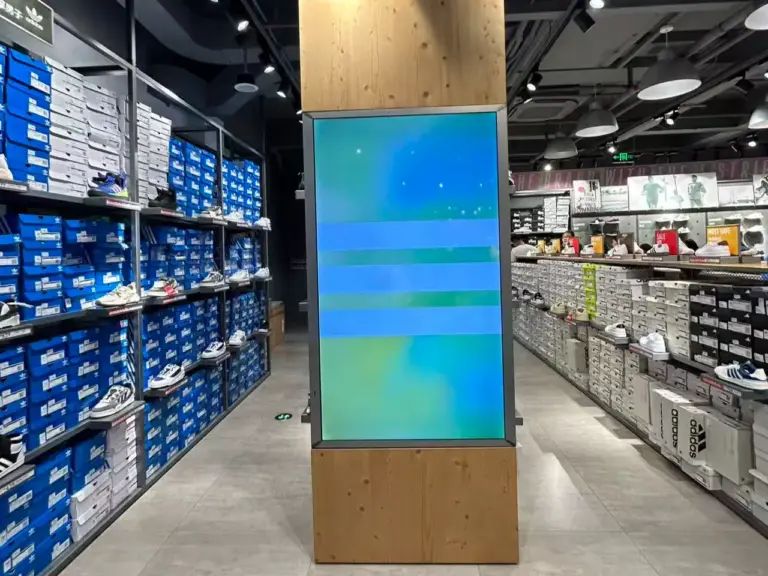
Digital signage is the use of digital displays to show advertisements, announcements, menús, directions, and other information in public and commercial spaces. Unlike static signs, digital signage allows businesses to update content remotely, schedule messages for different times, and manage multiple screens through a central content management system (CMS). Common applications include retail stores, restaurantes, oficinas corporativas, hospitales, hoteles, and transportation hubs.
A digital signage system typically combines commercial displays, a media player, content management software, and a reliable network connection. Choosing the right setup depends on where the screens will be installed, how often the content changes, and whether the displays need features such as touchscreen interaction or outdoor visibility. This guide explains how digital signage works, explores its main display types and business applications, and outlines the key factors to consider when planning a deployment.
Conclusiones clave
- Digital signage combines display hardware, a media player, content management software, and content operations to deliver information across one or more screens.
- Commercial signage displays are designed for specific operating conditions, including extended runtimes, bright environments, portrait installation, and centralized device management.
- Common applications include retail promotions, restaurant menu boards, corporate communications, healthcare wayfinding, hospitality directories, and transportation information.
- Digital signage broadcasts content, while interactive kiosks accept user input for tasks such as ordering, payment, registrarse, and information lookup.
- The total cost of a digital signage network includes hardware, installation, software, content production, and ongoing maintenance.
What Is a Digital Signage?
Digital signage uses electronic displays, including LCD screens, LED displays, and projection systems, to present information, advertising, directions, and branded content in public or commercial environments. Content can be managed through a central platform and updated remotely, allowing businesses to coordinate messages across multiple locations without physically replacing signs.
The content management system (CMS) is a key part of this process. It allows administrators to upload media, create playlists, schedule content, and assign messages to specific screens or locations. Por ejemplo, a retail chain can update promotional content across several stores from one platform, while a restaurant can schedule different menu boards for breakfast, lunch, and dinner.
A screen playing a video from a USB drive can display digital content, but it does not necessarily provide the centralized scheduling, remote monitoring, or multi-location management capabilities associated with a managed digital signage network. These capabilities become particularly useful when a business needs to control content across many screens or update information frequently.
Digital signage is also different from static signage and interactive kiosks. Printed posters and signs are suitable for information that rarely changes, while digital displays are useful for time-sensitive messages and frequently updated content. Interactive kiosks add touchscreens or other input devices so users can complete tasks themselves. These categories can overlap, and businesses may use several of them within the same environment.
How Digital Signage Works: The Four-Layer Stack
A digital signage system typically consists of 4 main layers: the display, media player, content management system, and day-to-day operations. Each layer has a specific role in delivering content and keeping the network running.
- Mostrar: Shows the visual content to the audience.
- Media Player: Processes and plays scheduled content on the screen.
- Content Management System (CMS): Allows administrators to upload, schedule, and distribute content remotely.
- Operaciones: Covers content creation, approval, device monitoring, and maintenance.
1. Mostrar
The display presents visual content to the audience. Tamaño de pantalla, resolution, brillo, orientación, and environmental protection should match the installation location. An indoor office display, for example, may have different requirements from a screen installed in a sunlit shop window.
2. Media Player
The media player processes and plays scheduled content on the screen. It may be a separate computer connected to the display or a system-on-chip (SoC) integrated into the display itself. Depending on the platform, the player may use Android, ventanas, linux, or another supported operating system. Some systems can continue playing locally stored content during temporary network interruptions.
3. Content Management System (CMS)
The CMS allows administrators to upload images and videos, create playlists, schedule messages, and distribute content to selected screens. More advanced platforms may support content rules, device monitoring, user permissions, and integration with external business systems.
4. Operaciones
People and processes keep the network useful and reliable. Responsibilities may include producing content, reviewing messages, managing permissions, monitoring screen status, updating devices, and arranging maintenance when a problem occurs.
These layers communicate through a network connection. Ethernet and Wi-Fi are common options, while cellular connectivity may be useful in locations without suitable wired or wireless network access. A reliable connection allows the CMS to distribute new content and monitor connected devices remotely.
Some commercial platforms also support remote firmware updates, automated recovery features, and centralized device management. Alimentación a través de Ethernet (PoE) can supply both power and network connectivity through a single cable where compatible equipment is used. These features can simplify installation and maintenance, particularly across multi-screen deployments. For projects that require customized workflows or connections to existing business systems, integración de software y sistemas can help connect the display network with the wider operating environment.

Types of Digital Signage Displays
Digital signage displays come in different form factors and configurations. They can be classified by installation style, screen format, and operating environment. The right option depends on the available space, distancia de visualización, ambient light, and the type of content being displayed.
Wall-Mounted Displays
These screens are commonly installed in reception areas, corridors, retail spaces, meeting rooms, and service counters. They are suitable when a business wants to display information without occupying floor space.
Floor-Standing Displays
Digital signage totems and pedestal displays are designed for entrances, shopping centers, salas de exposición, and other locations where freestanding equipment is more practical than wall mounting. Their position can make promotional messages and directories easier for visitors to notice.
Stretched and Specialty-Format Displays
These screens use non-standard proportions to fit specific locations, such as shelf edges, transportation information panels, or spaces above service counters. They are useful when content needs to fit a narrow or unusually shaped area.
Outdoor and High-Brightness Displays
Outdoor installations and sunlit windows require careful consideration of screen brightness, glare, temperature, and environmental protection. High-brightness models may be specified at 1,000 nits or more, although the appropriate brightness depends on ambient light and viewing conditions. Weather exposure may also require suitable enclosure protection.
Video Walls
Video walls combine multiple display panels to create a larger visual surface. They are used in corporate lobbies, retail environments, control rooms, and public venues where large-scale imagery or information needs to be presented.
Portable and Mobile Displays
Displays mounted on wheeled or adjustable stands can be moved between event spaces, meeting rooms, salas de exposición, and temporary retail installations. Mobility is useful when display locations change regularly.
Beyond the form factor, buyers should evaluate the specifications required for the installation environment. Important considerations include operating hours, brillo, viewing angles, portrait-orientation support, mounting compatibility, connectivity, and resistance to dust or moisture where applicable. Commercial displays are available with different duty-cycle ratings, so buyers should confirm whether a model is suitable for the intended daily runtime rather than assuming every professional display supports continuous 24/7 operación.
Consumer televisions may be sufficient for some low-demand applications, but they may lack the brightness options, remote management features, mounting flexibility, or operating ratings required for commercial deployments. Comparing the specifications of individual models is more useful than relying on the product category alone.
Where Businesses Use Digital Signage
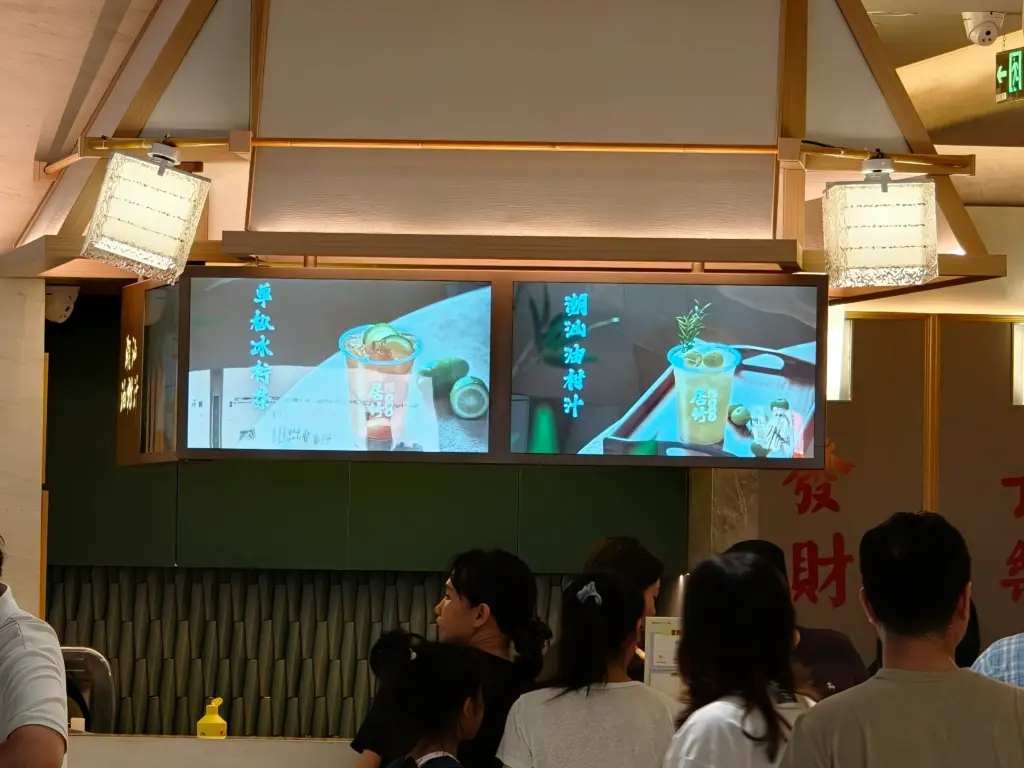
Businesses use digital signage to communicate information, promote products, guide visitors, and support daily operations. The specific application varies by industry, but the common objective is to deliver relevant content where people need to see it.
Retail and Supermarkets
Retailers use digital displays for promotional campaigns, product information, seasonal messages, and in-store navigation. Shelf-edge screens can present pricing or offers close to the products being considered, while entrance displays and floor-standing units can highlight campaigns. A retail and supermarket deployment may combine several display formats to support different stages of the shopping journey.
Restaurants and Food Service
Digital menu boards allow restaurants to update menu items, prices, and promotional messages without printing replacement materials. Scheduled content can display different menus throughout the day. Screens near ordering counters can also communicate product information and current offers.
Corporate Offices
Companies use lobby displays for welcome messages, visitor information, and corporate announcements. Screens in shared areas can communicate internal updates, while meeting-room displays can show room availability or scheduling information. A smart-office deployment may integrate signage with room-booking systems and other workplace applications.
Instalaciones sanitarias
Hospitals and clinics can use digital signage to provide wayfinding, queue information, appointment guidance, and general health messages. Content should be designed with patient privacy and the facility’s communication requirements in mind.
Hotels and Hospitality
Hotels, conference centers, and other hospitality venues use displays to welcome visitors, identify event locations, provide directions, and communicate schedules. Content can be updated when room assignments, event times, or venue information changes.
Transportation and Public Spaces
Airports, stations, terminales, and public buildings use digital directories to communicate routes, exits, gates, platforms, and other location-specific information. Depending on the system, screens may also display advertising or public announcements.
Industrial and Manufacturing Facilities
Digital displays can show production updates, safety notices, work instructions, and operational dashboards. In factories and other demanding environments, buyers should consider viewing distance, mounting position, ambient temperature, and protection against dust or moisture.
Successful deployment requires more than installing screens. Businesses need a clear plan for content ownership, update frequency, approval procedures, and device monitoring. Outdated messages can reduce the usefulness of a signage network, even when the hardware is working correctly. Establishing responsibility for these tasks helps keep information accurate and relevant.

Digital Signage vs. Static Signage vs. Interactive Kiosks
Three adjacent categories get conflated in procurement conversations, and the confusion costs money. Static signage — printed posters, lightboxes, fabric graphics — has near-zero running cost and no failure modes, but every change requires physical production and a site visit. It remains the right answer for content that genuinely never changes: safety placards, permanent directional graphics, brand marks. Digital signage replaces the physical swap with a remote content push, which changes the economics of frequently updated material — daily promotions, shift-varying menus, live schedules — from expensive to trivial. The break-even calculation is simple: if content changes more often than a print-and-ship cycle can economically support, digital wins.
Interactive kiosks and touch displays add an input layer: the user does something — orders, pays, checks in, searches a directory — and the system responds. Self-service kiosks are transactional endpoints with peripherals (impresoras, escáneres, payment modules) and a different reliability profile than a broadcast screen, because a failure interrupts a task rather than a message. The categories increasingly share hardware: the same commercial display platforms and player electronics appear inside broadcast signage and interactive kiosks, differentiated by touch overlay, peripheral bays, and software. Many networks deliberately mix both — broadcast screens for promotion and wayfinding, touch positions for transactions — running on a common platform so spare parts, firmware processes, and supplier relationships are shared rather than duplicated.
What It Costs to Run a Digital Signage Network

The cost of a digital signage network depends on the number of screens, display specifications, installation requirements, software platform, content needs, and maintenance arrangements. Buyers should evaluate both the initial investment and the recurring expenses rather than comparing display prices alone.
Hardware
This includes the displays, media players where required, mounting equipment, and related accessories. High-brightness screens, outdoor models, touch displays, and specialized formats may have different costs from standard indoor displays.
Instalación
Installation costs may cover mounting, cabling, power supply, network access, and any necessary structural work. Existing infrastructure and the complexity of each installation location can affect the total.
Software
Some CMS platforms charge subscription fees based on the number of screens, features, or deployment size. Other pricing models may be available. Buyers should compare content scheduling, user permissions, remote monitoring, integraciones, and support rather than evaluating the subscription price alone.
Content Production
Businesses may need to create or adapt images, vídeos, menús, announcements, and promotional materials. The cost depends on how frequently content changes, how much original design work is required, and whether production is handled internally or outsourced.
Maintenance and Support
Ongoing expenses may include device monitoring, software updates, replacement parts, troubleshooting, and on-site service. Remote management features can reduce the need for some physical service visits, although the actual savings depend on the deployment and support arrangements.
When comparing solutions, consider the expected service life of the hardware, software renewal terms, warranty coverage, replacement procedures, and content management workload. A lower initial price does not necessarily mean a lower total cost of ownership. The most suitable system is one that meets the operational requirements without adding unnecessary hardware, software, or maintenance complexity.
Planning Your First Digital Signage Deployment
| Planning Factor | What to Check | Why It Matters |
|---|---|---|
| 1. Display Purpose and Content | Define what each screen needs to communicate, who will view it, and how often the content will change. Consider welcome messages, visitor information, promotional content, and digital menus. | Helps determine the display type, content format, and update frequency. |
| 2. Installation Environment | Evaluate screen size, distancia de visualización, ambient light, mounting surface, portrait or landscape orientation, power supply, and network connectivity. For outdoor or industrial installations, check temperature ratings and environmental protection. | Ensures the display is suitable for its operating conditions and viewing requirements. |
| 3. Media Player and CMS | Choose between an integrated system-on-chip player and an external media player. Check whether the content management system (CMS) supports scheduling, screen grouping, user permissions, device monitoring, and offline playback when the network is interrupted. | Supports reliable content delivery and efficient screen management. |
| 4. Supplier and Product Support | Review the supplier’s product range, warranty terms, software compatibility, technical support, replacement-part availability, mounting standards, connectivity, and device-management capabilities. | Helps reduce compatibility issues and simplifies long-term maintenance. |
| 5. OEM/ODM and Customization | If you need branded hardware, pre-installed applications, customized configurations, or integration with proprietary software, discuss development requirements, compatibility, pruebas, and support responsibilities with the supplier early in the project. | Clarifies customization scope and technical responsibilities before deployment. |
| 6. Pilot Deployment | Start with a small number of screens. Test display quality, content scheduling, network performance, user experience, and maintenance procedures under real operating conditions before expanding. | Reveals practical issues early and helps establish a repeatable deployment process. |
Preguntas frecuentes
What is digital signage in simple terms?
Digital signage is a network of electronic displays — screens in lobbies, stores, restaurantes, transit stations, offices — showing information, advertising, or wayfinding content that is managed centrally and updated remotely. The defining feature is the management layer: instead of printing a poster and physically replacing it, an operator changes content once in a content management system (CMS) and it propagates to every screen in the network on a schedule. A complete digital signage system consists of commercial display hardware, a media player that renders content, CMS software that schedules and distributes it, and the people who produce and maintain the content.
Is digital signage the same as a television?
No. A consumer television is engineered for a few hours of evening viewing; a commercial digital signage display is engineered for continuous operation — 16/7 o 24/7 duty cycles — with commercial-grade panels that resist backlight decay and yellowing under long runtime. Signage displays also offer features televisions do not: higher brightness options (1,000 nits or more for sunlit positions), anti-glare coatings, portrait-orientation support, VESA and commercial mounting systems, ingress protection for demanding environments, integrated media players with remote management, over-the-air firmware updates, and hardware watchdogs that auto-restart the system if software hangs. A television can play a video loop; a signage display runs a managed commercial network position for years.
What hardware does a digital signage system require?
Three physical components plus software. The display: a commercial-grade screen sized, brightened, and rated for the position’s runtime and ambient light. The media player: a small computer that renders content — either a separate player box or a system-on-chip (SoC) integrated into the display, typically running Android, ventanas, or Linux, connected by Ethernet, Wifi, or cellular. Mounting and infrastructure: VESA or pedestal mounts, cabling (PoE — power over Ethernet — collapses power and data into one run where supported), and network access. On the software side: a content management system (CMS) for scheduling and distributing content, and optionally a device-management layer for monitoring uptime and pushing over-the-air firmware updates across the fleet.
What is the difference between digital signage and a kiosk?
Digital signage broadcasts; kiosks transact. A signage display shows content — promotions, menús, directories, announcements — and the viewer’s only interaction is looking at it. A kiosk adds an input layer: a touch screen, and often peripherals such as receipt printers, barcode scanners, or payment modules, so the user completes a task — ordering, paying, checking in, searching. Reliability profiles differ accordingly: a signage failure interrupts a message, while a kiosk failure interrupts a transaction and a queue. The hardware categories overlap heavily; many operators run both on shared commercial display platforms so firmware processes, spare parts, and supplier relationships cover the whole estate.
How many screens can one person manage?
The constraint is almost never the count of screens — it is how much of the work is automated. With a proper CMS and remote device management, one operations person routinely oversees hundreds of screens: playlists are scheduled centrally, content pushes propagate to screen groups by location, firmware updates roll out over the air in cohorts, and health dashboards surface only the units needing attention. The multiplier is hardware reliability: platforms with hardware watchdogs that auto-restart hung software within roughly fifty seconds, burn-in-tested units, and 24/7-rated panels convert most would-be service events into self-healing or remote actions. Networks built on consumer hardware need a person per few dozen screens; networks built on managed commercial platforms need a process, not a headcount that scales with display count.